Back to homepage
Back to homepage
Streamlining menu management across 3 food delivery platforms
Streamlining menu management across 3 food delivery platforms
Hangry • 2022
Hangry • 2022
F&B
F&B
Point of Sales (POS)
Point of Sales (POS)

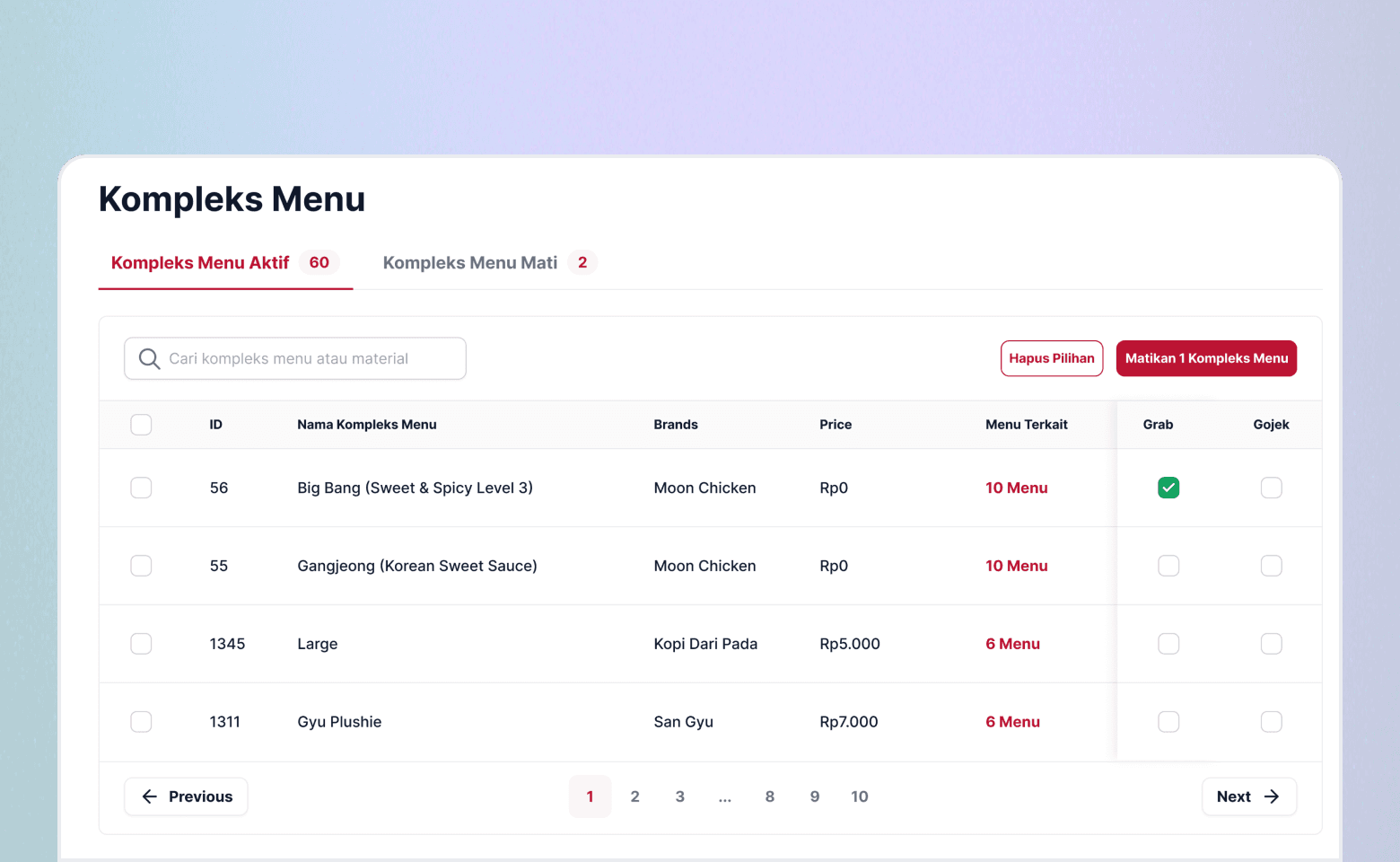
I led the design of the menu management project, one of the key initiatives aimed at helping the company reduce costs.
I led the design of the menu management project, one of the key initiatives aimed at helping the company reduce costs.
The outcome
1.
1.
Increased the efficiency by up to 97.78% by designing a menu management platform to help outlet staff manage menus and monitor their status on all merchant platforms (Go Food, Grab Food, & Shopee Food).
Increased the efficiency by up to 97.78% by designing a menu management platform to help outlet staff manage menus and monitor their status on all merchant platforms (Go Food, Grab Food, & Shopee Food).
2.
2.
Eliminated the need for multiple phones (one per brand or platform) across five newly opening outlets. Originally, each outlet required 9 phones (8 brand-specific phones and 1 operational phone), resulting in a total of 45 phones for all outlets. Given that each phone cost around Rp1,600,000, the initial setup would have cost Rp72,000,000. By streamlining the phone requirements, I reduced the total number of phones needed to 5, one per outlet. This change saved a total of Rp64,000,000.
Eliminated the need for multiple phones (one per brand or platform) across five newly opening outlets. Originally, each outlet required 9 phones (8 brand-specific phones and 1 operational phone), resulting in a total of 45 phones for all outlets. Given that each phone cost around Rp1,600,000, the initial setup would have cost Rp72,000,000. By streamlining the phone requirements, I reduced the total number of phones needed to 5, one per outlet. This change saved a total of Rp64,000,000.
Company
Hangry is a multi-brand virtual restaurant company based in Jakarta, focusing on serving great food through food delivery channels.
Hangry is a multi-brand virtual restaurant company based in Jakarta, focusing on serving great food through food delivery channels.
The product
Menu management is a comprehensive tool designed to streamline the way outlet staff handle their menus across various platforms (Go Food, Grab Food, & Shopee Food).
Menu management is a comprehensive tool designed to streamline the way outlet staff handle their menus across various platforms (Go Food, Grab Food, & Shopee Food).
Timeline
May - Sep 2022
May - Sep 2022
Role
Design lead
UX design
Visual design
UX research
Design lead
UX design
Visual design
UX research
Team
1 designer
1 head of product
2 engineers
1 head of operations
1 designer
1 head of product
2 engineers
1 head of operations
Problems
Problems
User problems
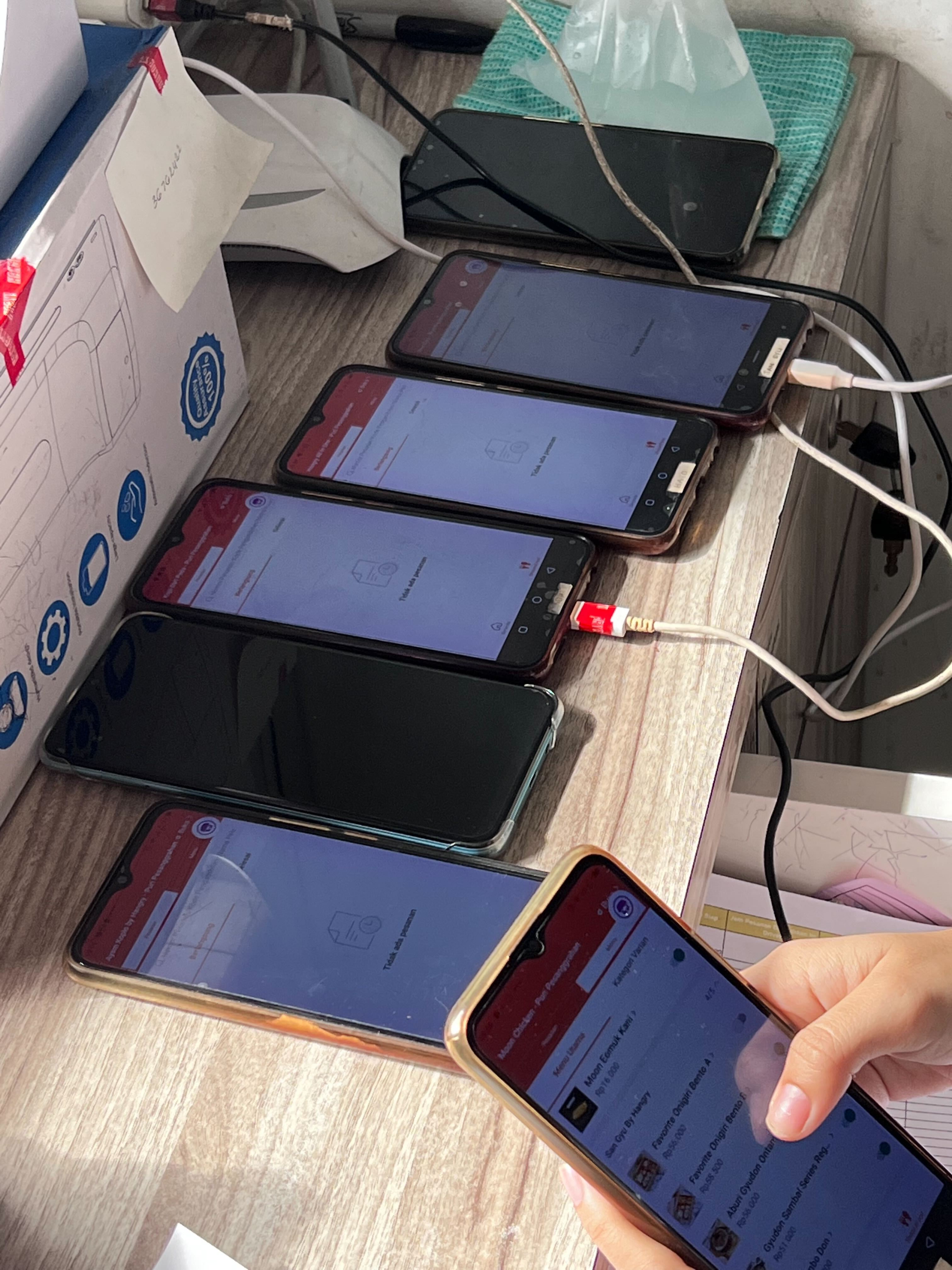
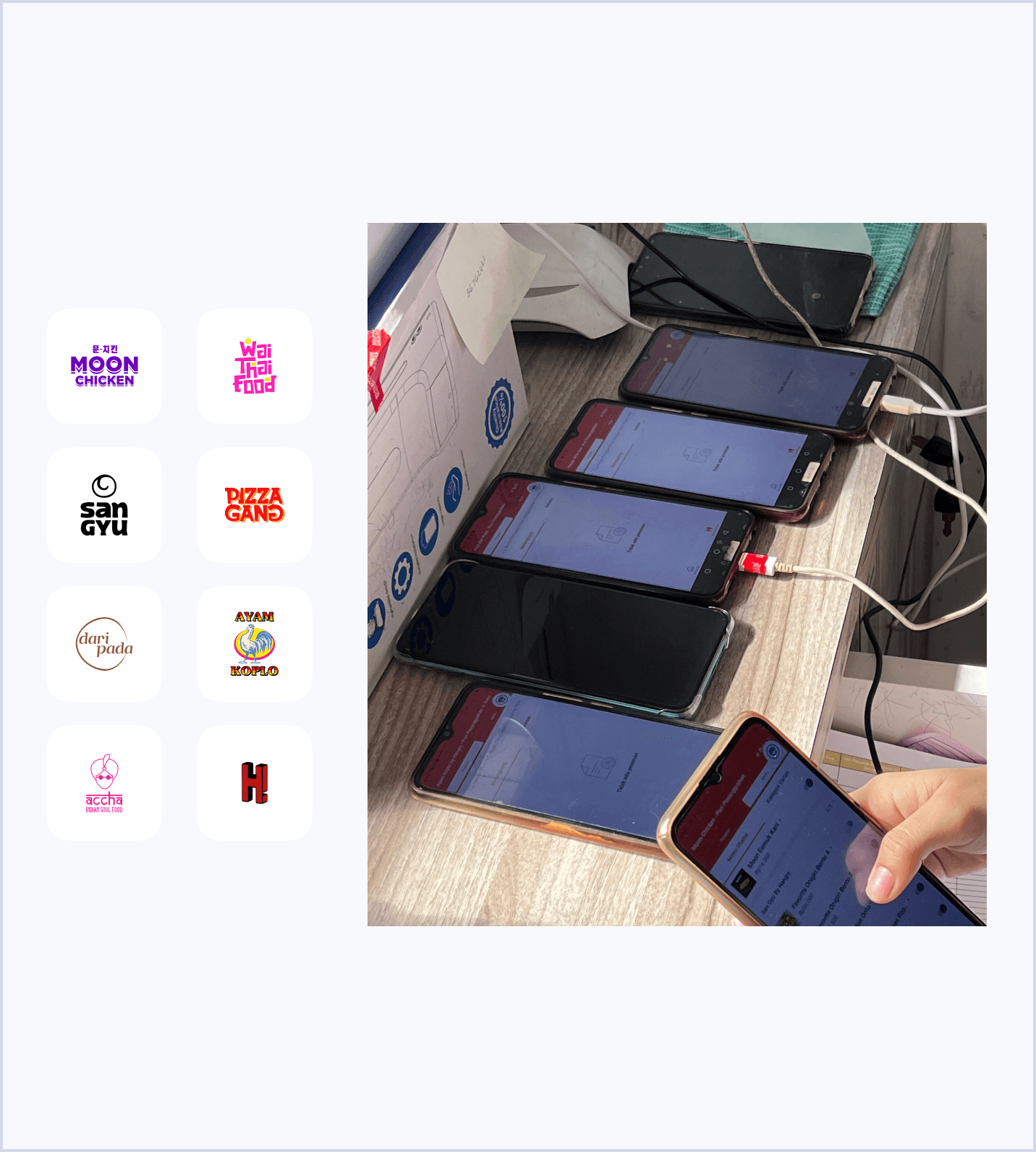
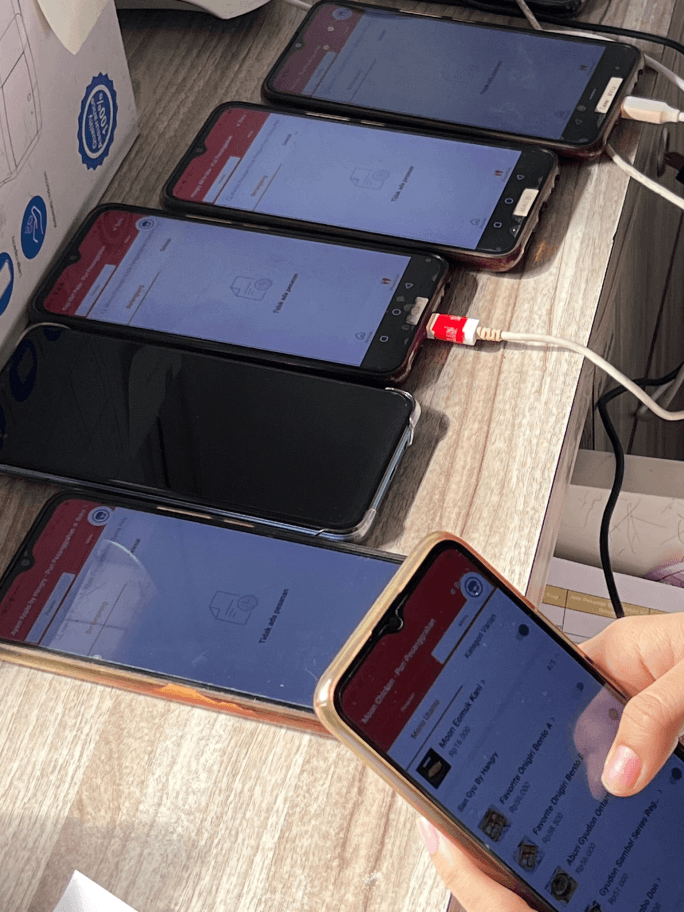
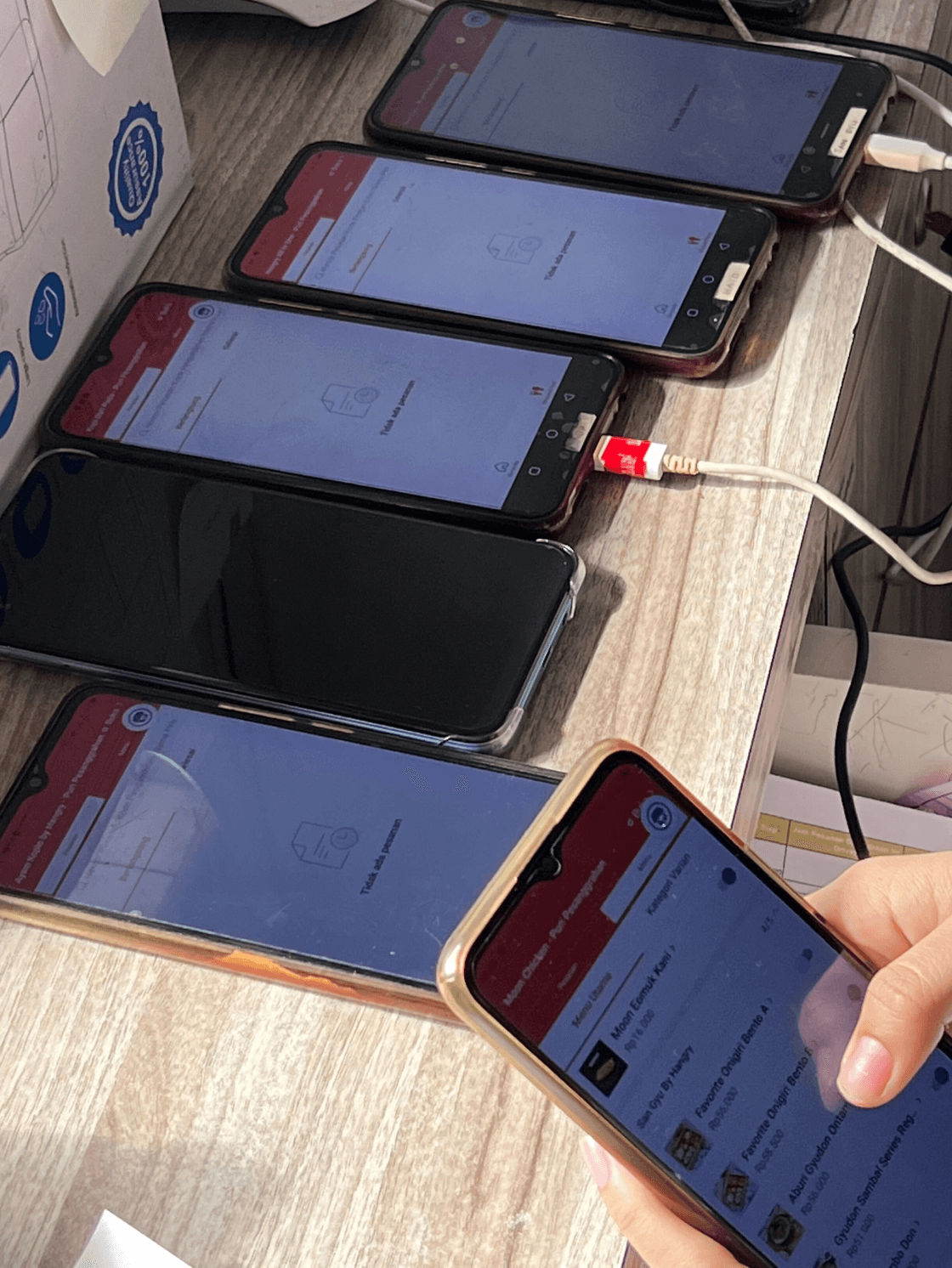
Every morning before the outlet opens, the staff need to update menus based on stock and availability. Currently, Hangry has 8 brands, each with approximately 20 menu items, and each brand has its own cell phone. So, we have 8 phones, each connected to 3 food platforms (Gojek, Grab, and Shopee).
Every morning before the outlet opens, the staff need to update menus based on stock and availability. Currently, Hangry has 8 brands, each with approximately 20 menu items, and each brand has its own cell phone. So, we have 8 phones, each connected to 3 food platforms (Gojek, Grab, and Shopee).
One brand, let’s say, has 20 menu items (20 menu items x 3 platforms = 60 menu items). This means 60 menu items x 8 brands = 480 menu items to be managed by the outlet staff every day.
One brand, let’s say, has 20 menu items (20 menu items x 3 platforms = 60 menu items). This means 60 menu items x 8 brands = 480 menu items to be managed by the outlet staff every day.



1.
1.
It takes 1.5 hours every day to update the menu based on availability.
It takes 1.5 hours every day to update the menu based on availability.
2.
2.
Turning off the menu due to availability could happen a maximum of 2 times daily, resulting in 3 non-productive hours for the cashier on a daily basis.
Turning off the menu due to availability could happen a maximum of 2 times daily, resulting in 3 non-productive hours for the cashier on a daily basis.
Business problems
We need to buy a new phone for each new brand, which costs around Rp1,600,000 per outlet. Additionally, we are still expanding our business to other cities in Indonesia, with 5 newly opened outlets in the first half of 2024, and we keep growing.
We need to buy a new phone for each new brand, which costs around Rp1,600,000 per outlet. Additionally, we are still expanding our business to other cities in Indonesia, with 5 newly opened outlets in the first half of 2024, and we keep growing.
Objectives
Objectives
User objectives
1.
1.
Streamlining the process of menu management and help reduce the time spent by the outlet staff.
Streamlining the process of menu management and help reduce the time spent by the outlet staff.
2.
2.
Provide reliable historical data sources for PPIC to plan deliveries, including easy access to download reports.
Provide reliable historical data sources for PPIC to plan deliveries, including easy access to download reports.
Business objectives
1.
1.
We don’t need to buy a separate phone for each brand.
We don’t need to buy a separate phone for each brand.
2.
2.
We won’t need to pay for a third-party POS platform in the future. As we are currently using a third-party POS Platform for our operational.
We won’t need to pay for a third-party POS platform in the future. As we are currently using a third-party POS Platform for our operational.
The challenge
Building a POS platform for the first time and driving behavioral change in daily outlet operations was challenging, as the staff were used to the previous third-party POS platform. This includes, but is not limited to, menu, order, and outlet management.
Building a POS platform for the first time and driving behavioral change in daily outlet operations was challenging, as the staff were used to the previous third-party POS platform. This includes, but is not limited to, menu, order, and outlet management.
The process
The process
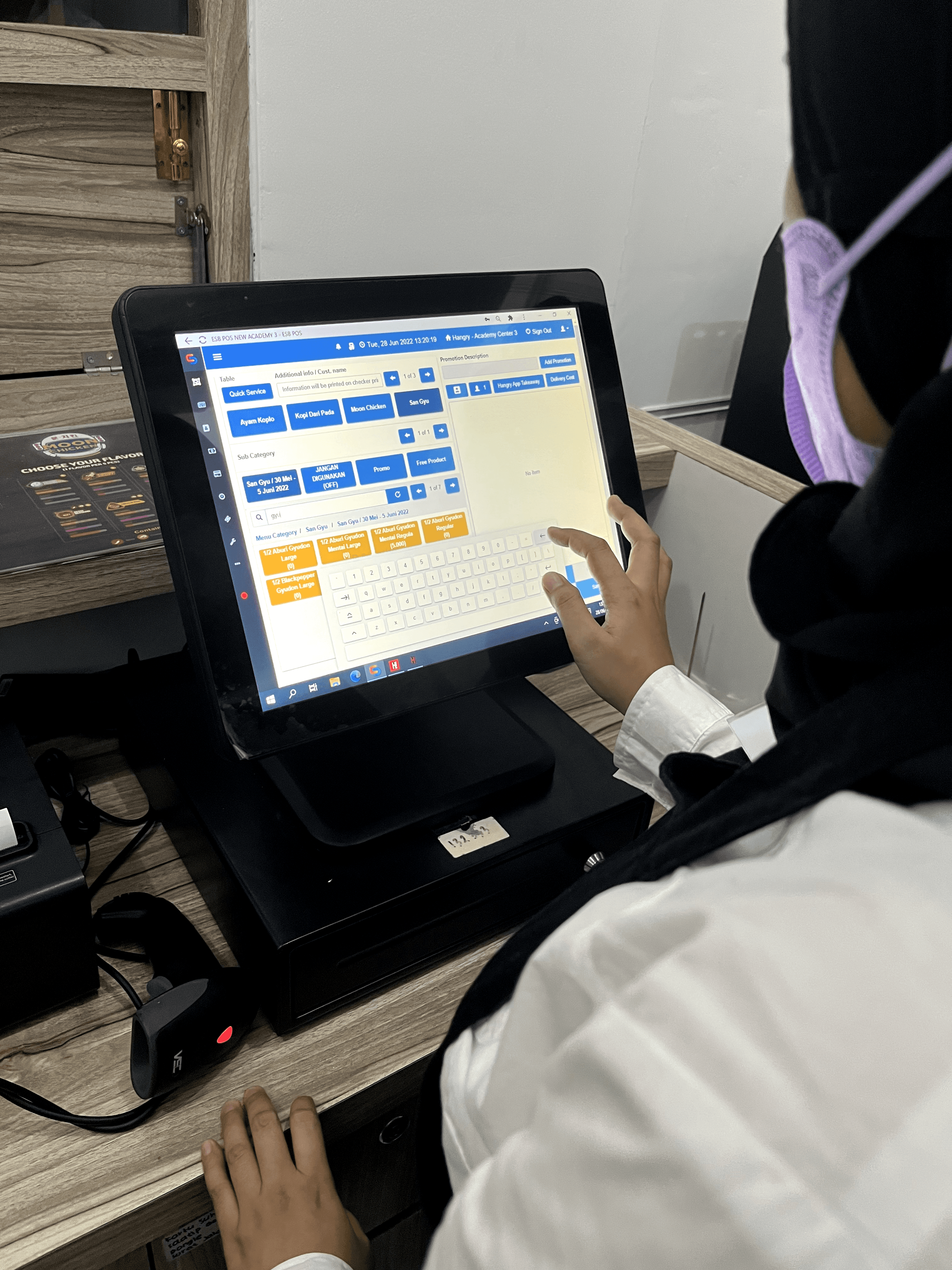
I visited one of our outlets to observe how the staff typically manage the menu and orders on-site.
I visited one of our outlets to observe how the staff typically manage the menu and orders on-site.
Understanding the current flow
At this point, I want to understand how they usually manage the menu:
Is it per menu and per reason?
Is it multiple menus in one brand and per reason?
Is it multiple menus in multiple brands and per reason?
Is it multiple menus in multiple brands with multiple reasons?
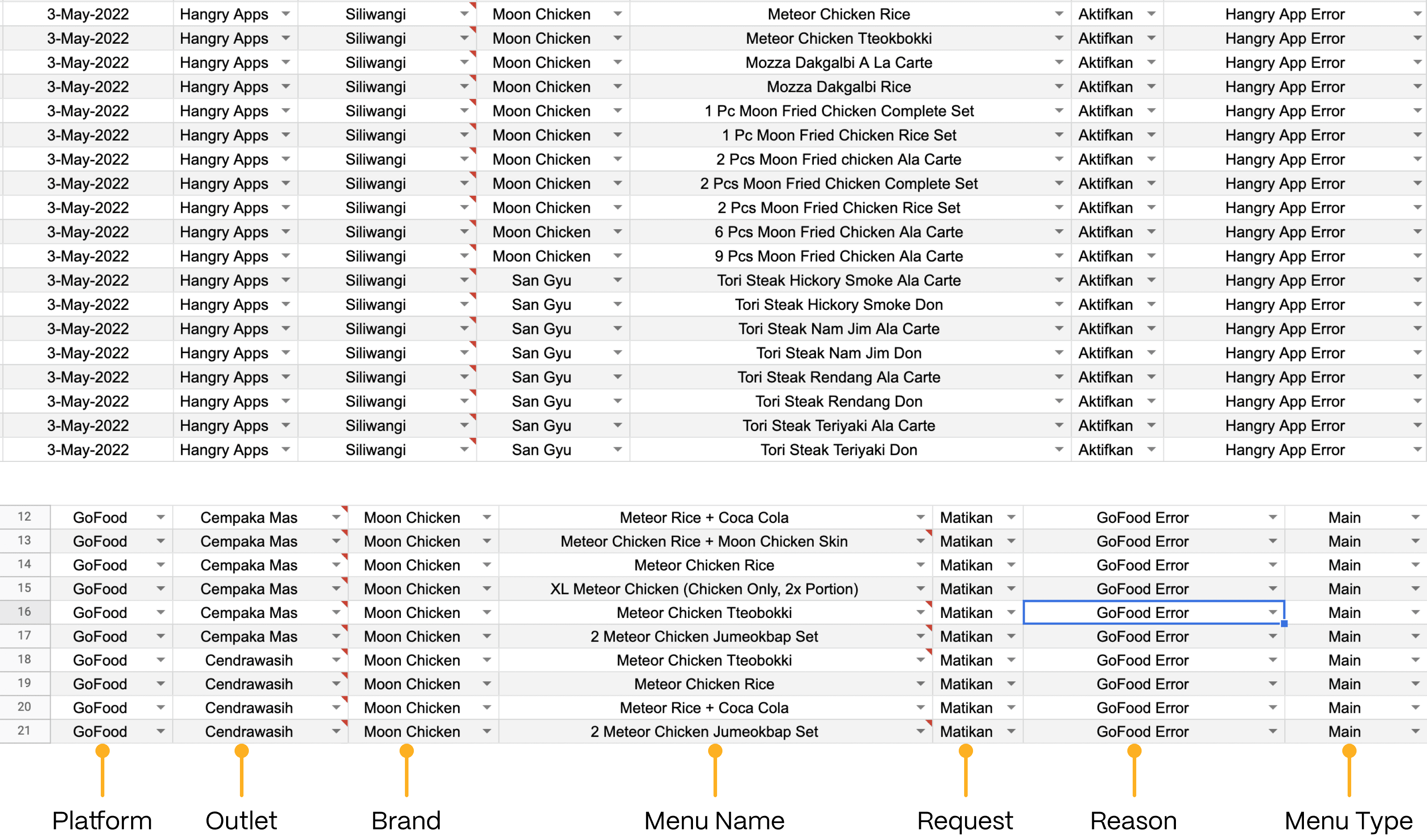
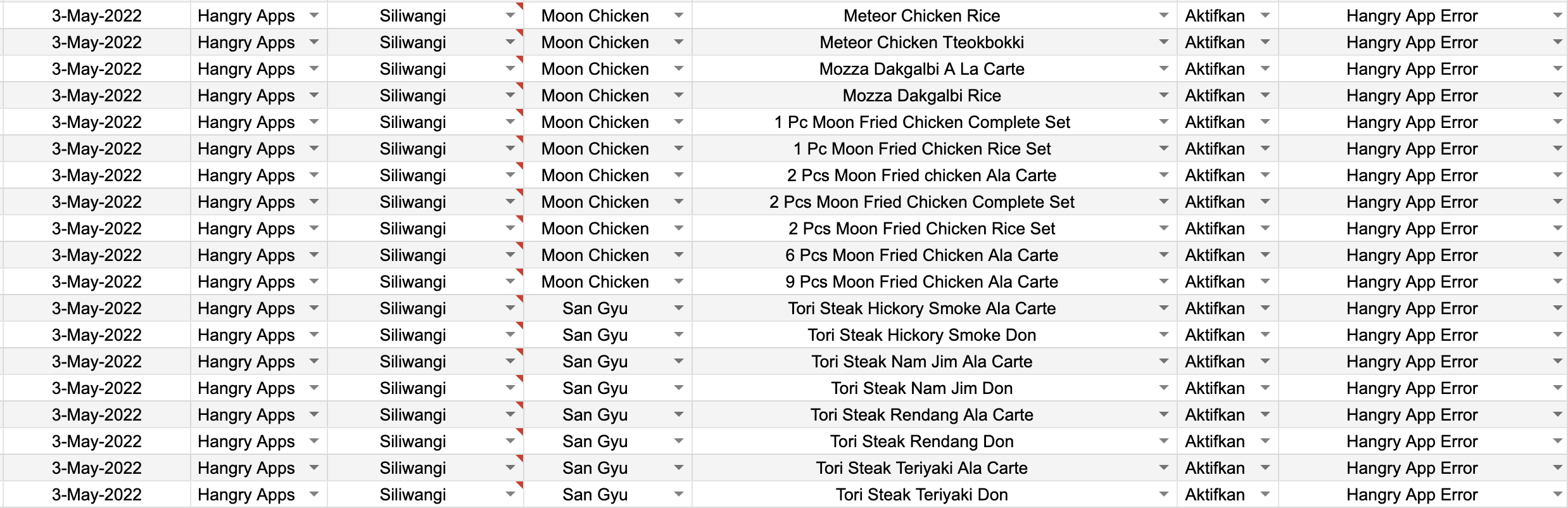
Since the requirements given by the PM are still unclear or not detailed enough, I have to gather requirements myself by reaching out to the stakeholders (Ops team). At this stage, I asked them to provide me with any documents they use to manage the menu. After receiving the documents, I discovered that the outlet staff usually turn off multiple menus across multiple brands.
At this point, I want to understand how they usually manage the menu:
Is it per menu and per reason?
Is it multiple menus in one brand and per reason?
Is it multiple menus in multiple brands and per reason?
Is it multiple menus in multiple brands with multiple reasons?
Since the requirements given by the PM are still unclear or not detailed enough, I have to gather requirements myself by reaching out to the stakeholders (Ops team). At this stage, I asked them to provide me with any documents they use to manage the menu. After receiving the documents, I discovered that the outlet staff usually turn off multiple menus across multiple brands.

Platform
Outlet
Brand
Menu Name
Request
Reason
Menu Type
Findings
From the image shown above, I found out that the outlet staff can turn off/on multiple menus and brands for one reason. So, another requirement is gathered.
From the file above, we can see that the outlet staff are able to:
Turn on/off one menu in one brand on one platform.
Turn on/off multiple menus in one brand on one platform.
Turn on/off multiple menus in multiple brands on one platform only.
Turn on/off multiple menus in multiple brands on multiple platforms.
and so on...
From the image shown above, I found out that the outlet staff can turn off/on multiple menus and brands for one reason. So, another requirement is gathered.
From the file above, we can see that the outlet staff are able to:
Turn on/off one menu in one brand on one platform.
Turn on/off multiple menus in one brand on one platform.
Turn on/off multiple menus in multiple brands on one platform only.
Turn on/off multiple menus in multiple brands on multiple platforms.
and so on...
Concept
Concept
Before jumping into the UI design, I created multiple wireframes and concepts to visualize how the product would look.
I went through several rounds of feedback and iteration to refine the design and gather early insights. One of the feedback examples is shown below.
Before jumping into the UI design, I created multiple wireframes and concepts to visualize how the product would look.
I went through several rounds of feedback and iteration to refine the design and gather early insights. One of the feedback examples is shown below.
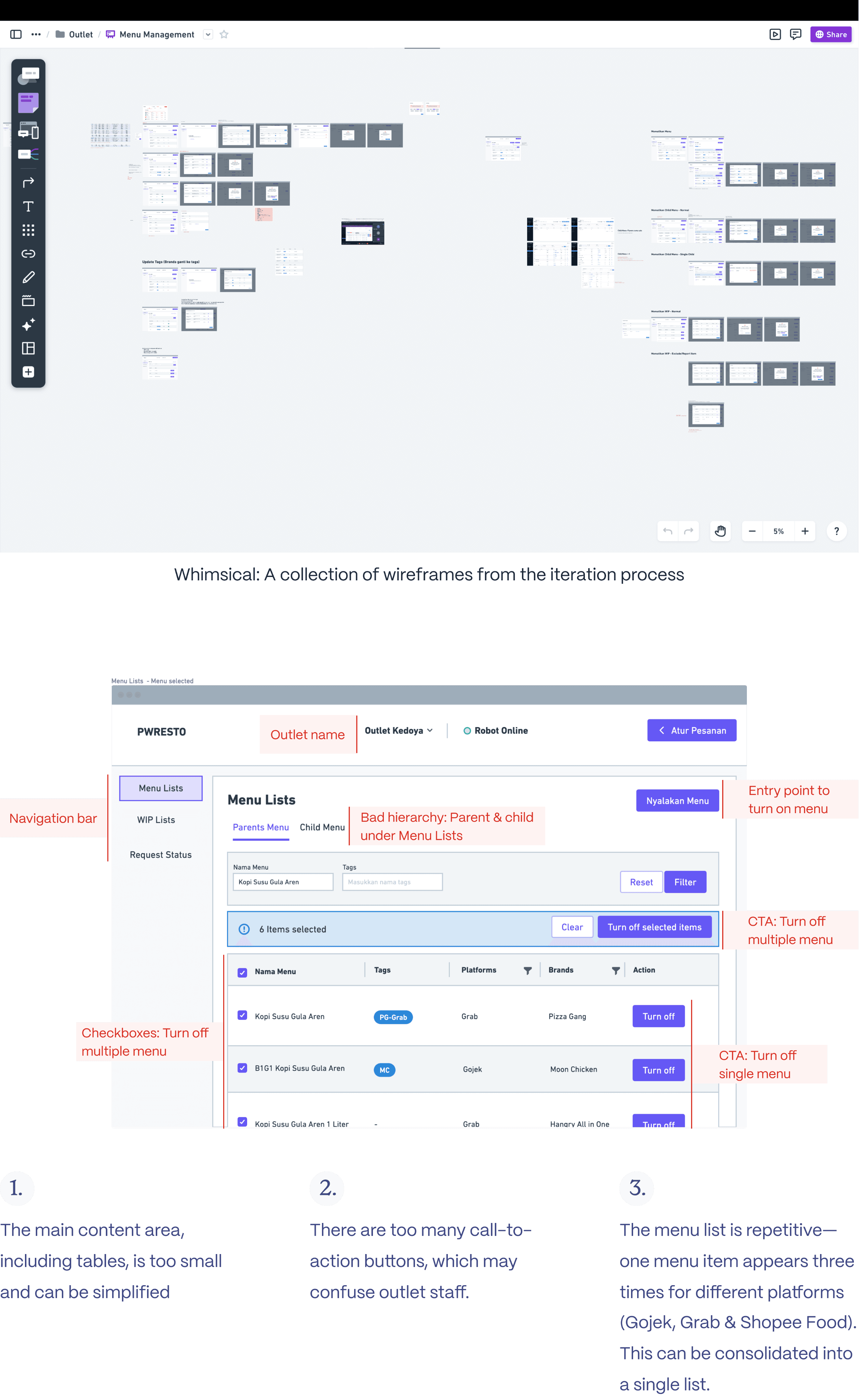
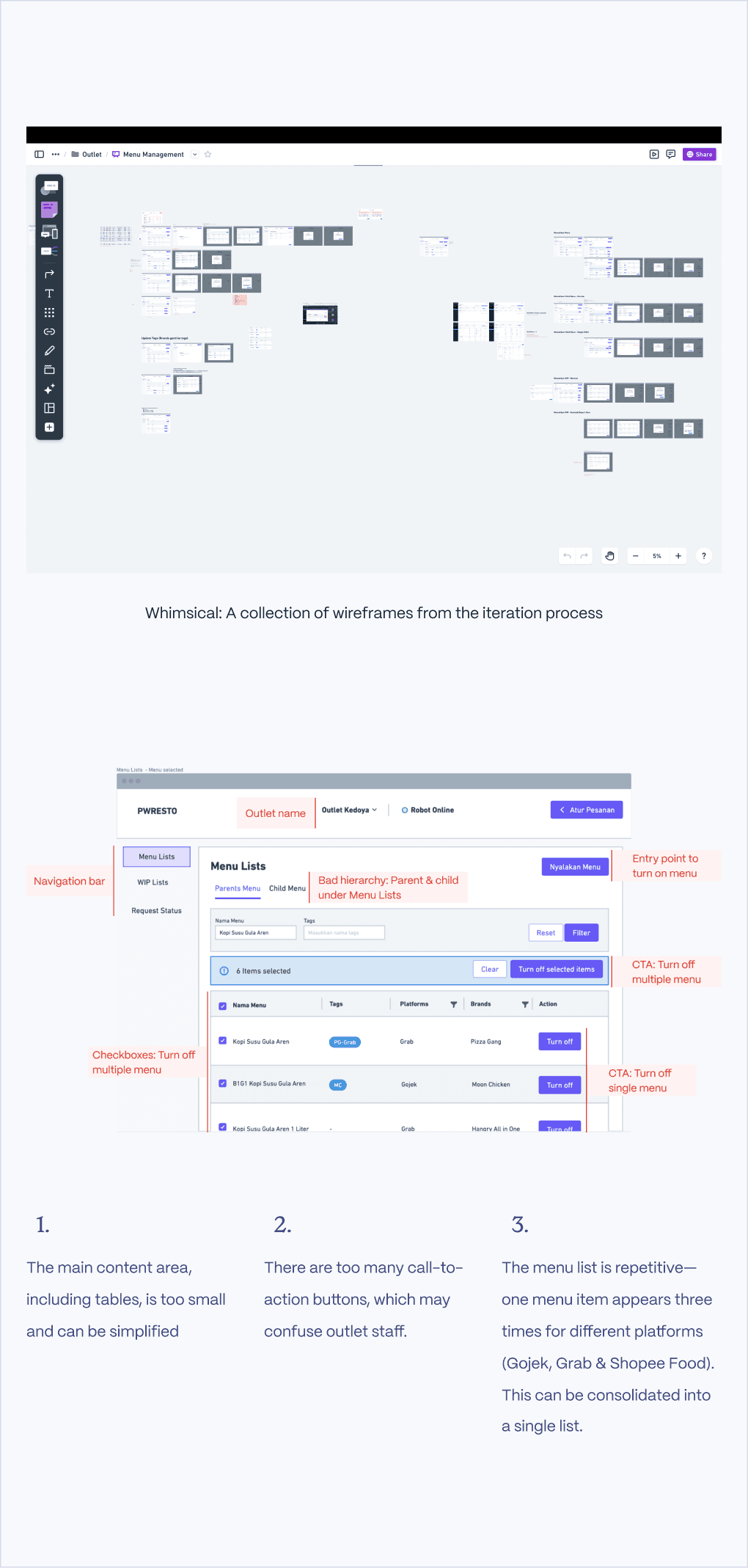
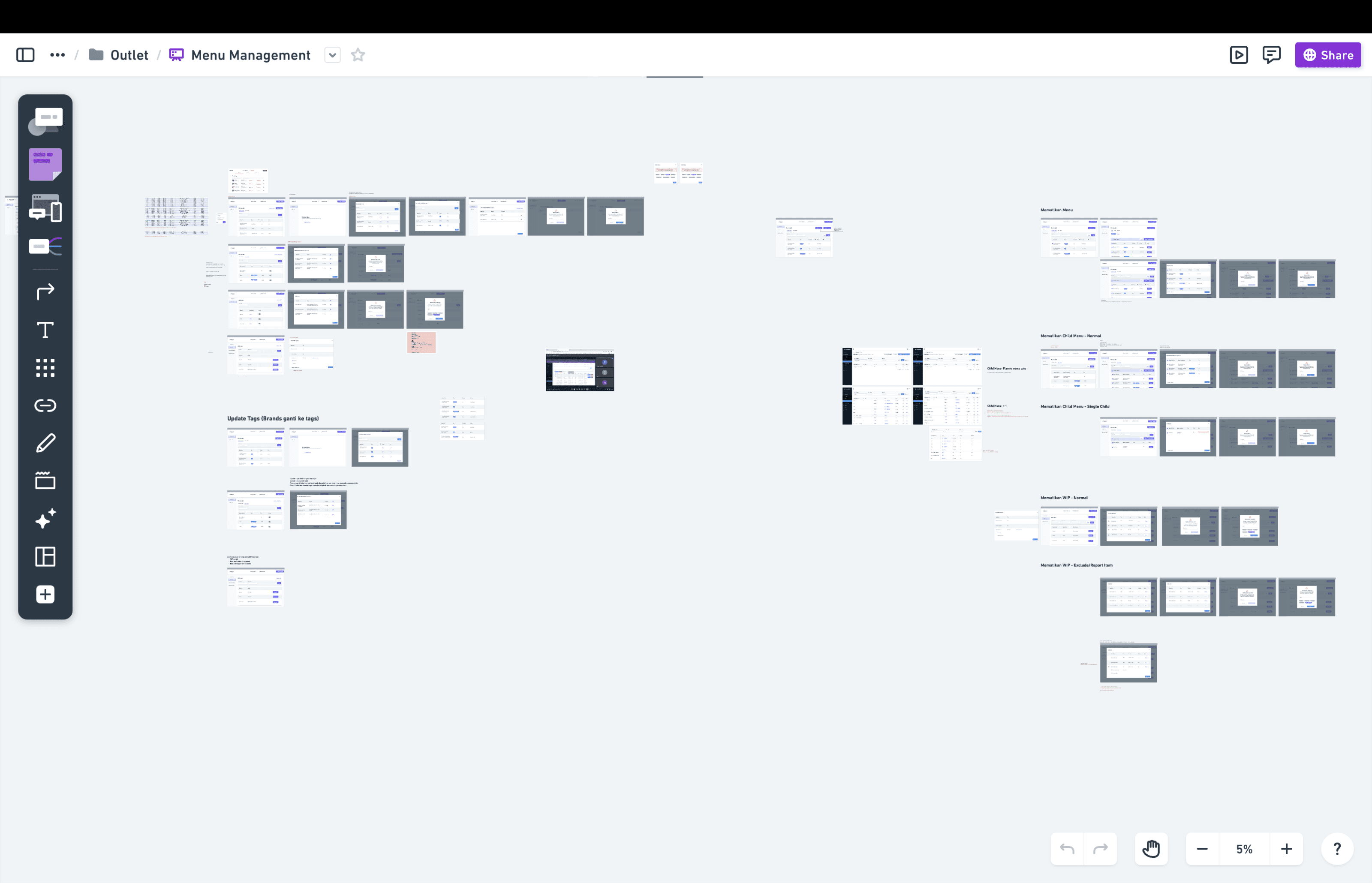
Whimsical: A collection of wireframes from the iteration process
Navigation bar
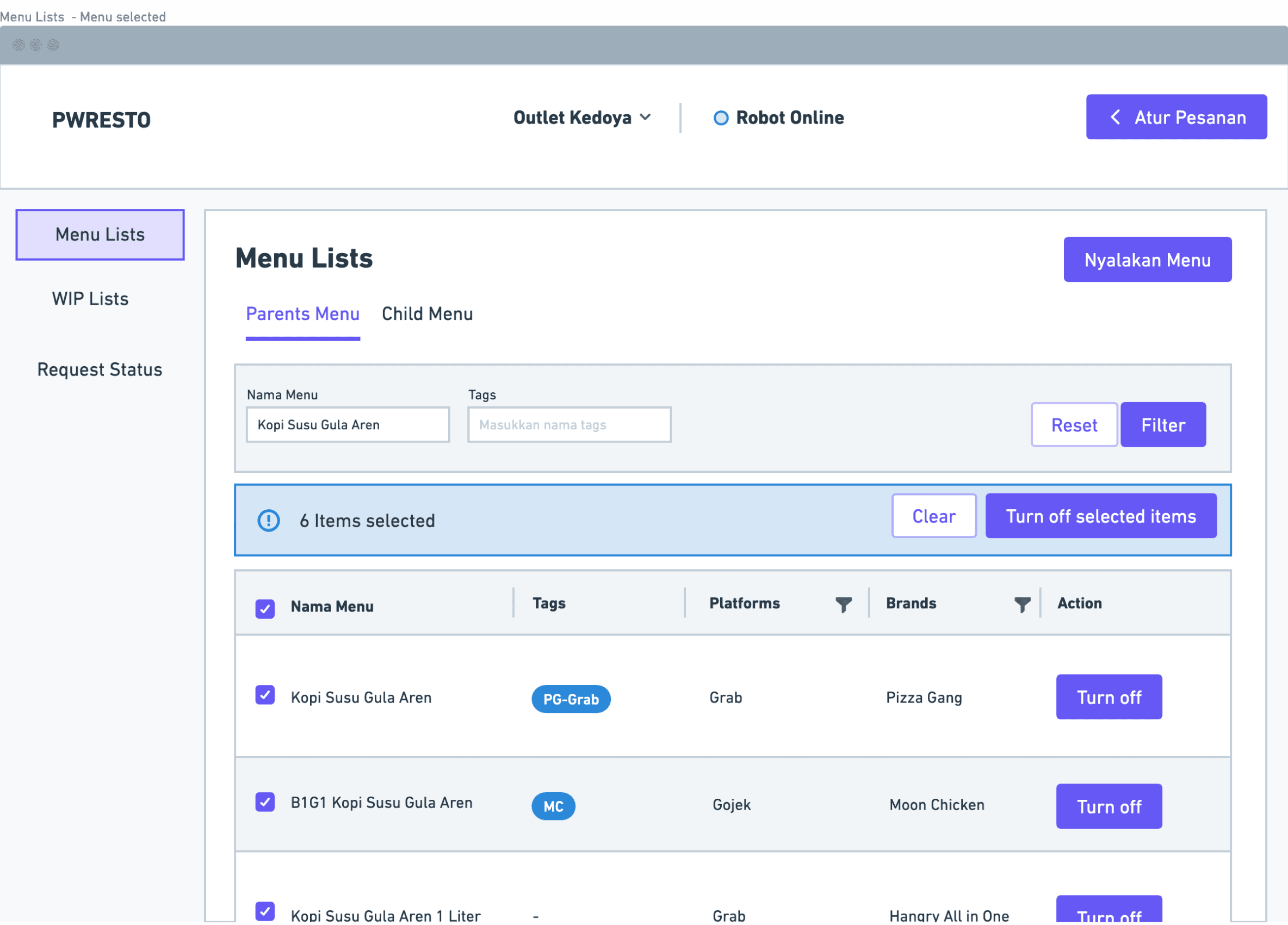
CTA: Turn off
multiple menu
Entry point to
turn on menu
Bad hierarchy: Parent & child
under Menu Lists
CTA: Turn off
single menu
Checkboxes: Turn off
multiple menu
Outlet name
1.
The main content area, including tables, is too small and can be simplified
2.
There are too many call-to-action buttons, which may confuse outlet staff.
3.
The menu list is repetitive—one menu item appears three times for different platforms (Gojek, Grab & Shopee Food). This can be consolidated into a single list.
Output
Output
The constraints
Designing for POS Screen: Limited screen size (1024 x 768)
POS Screen has poor display quality: Ensure colors are easily visible to staff
Use easy-to-understand copywriting for the outlet staff, or use terms they are familiar with in their day-to-day work
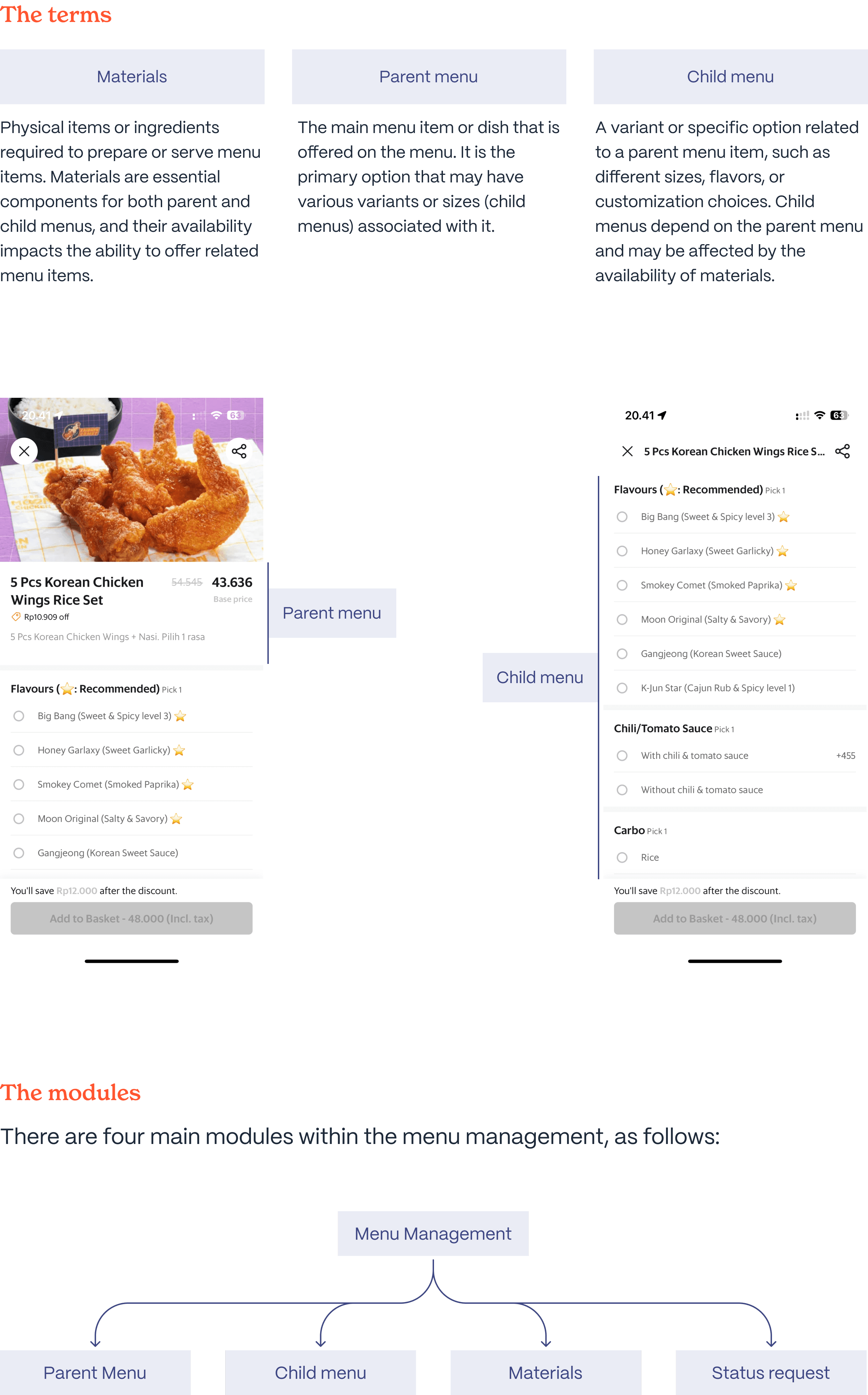
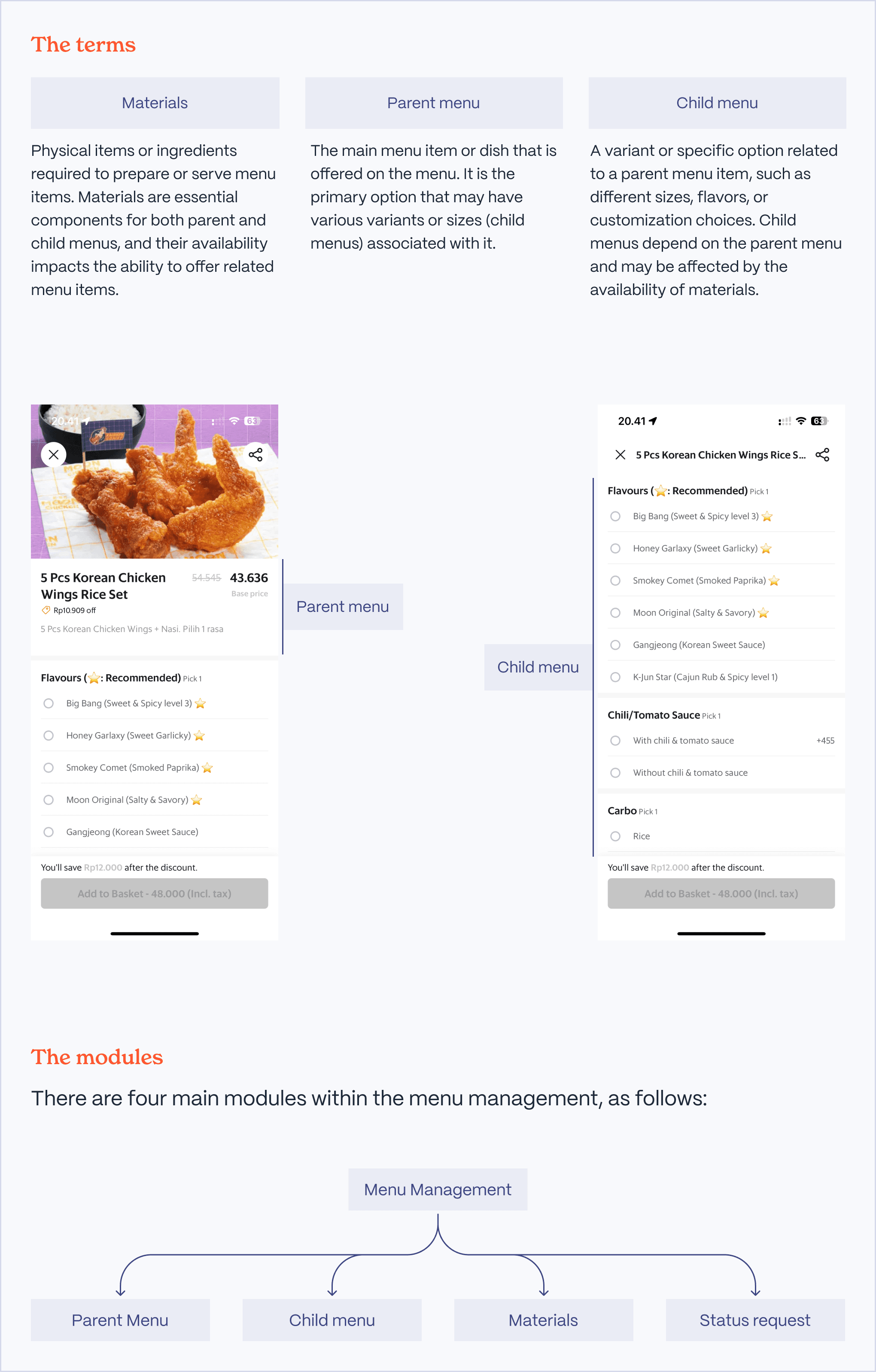
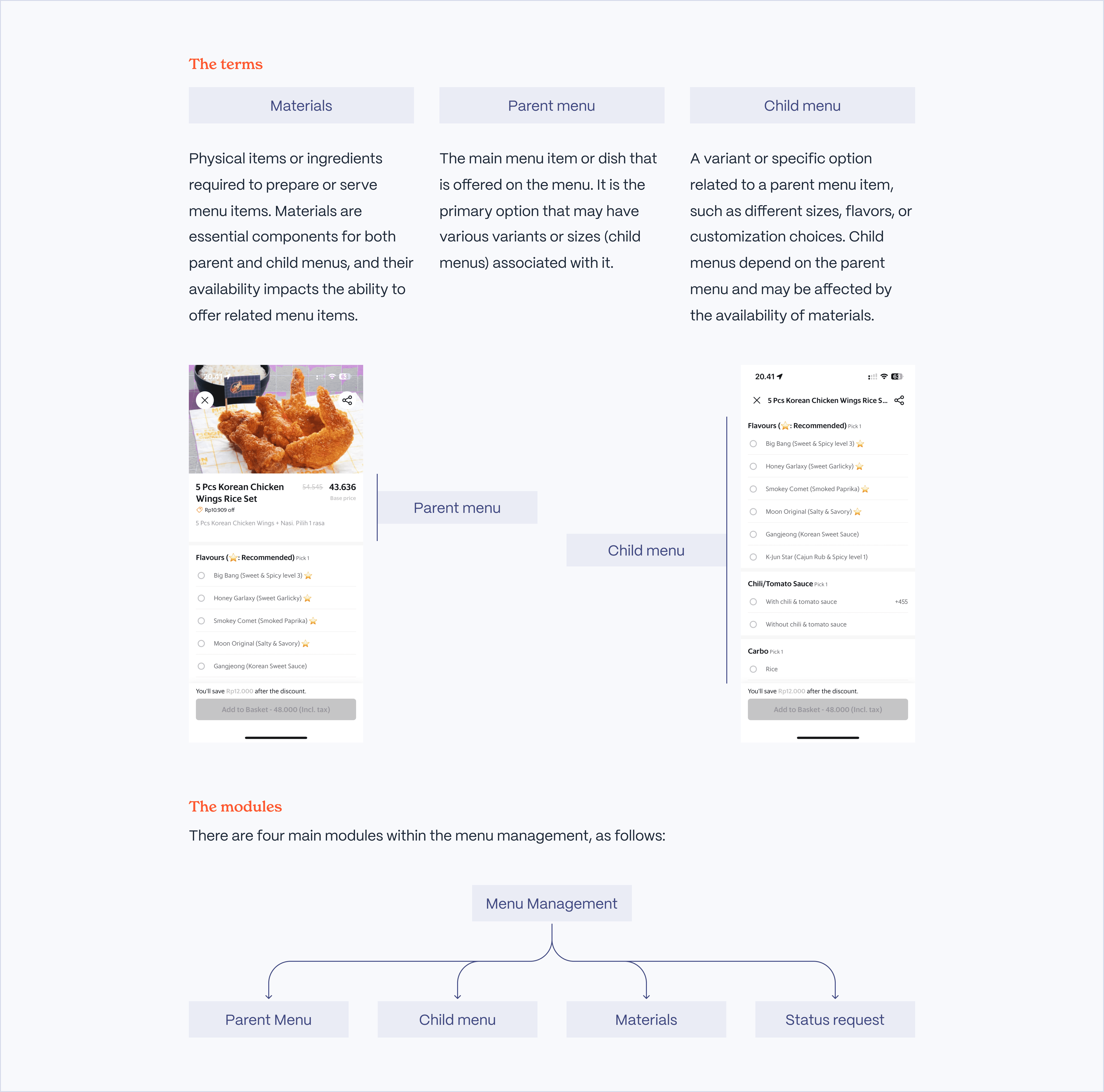
Parent menu = Menu.
Child menu = kompleks menu.
Designing for POS Screen: Limited screen size (1024 x 768)
POS Screen has poor display quality: Ensure colors are easily visible to staff
Use easy-to-understand copywriting for the outlet staff, or use terms they are familiar with in their day-to-day work
Parent menu = Menu.
Child menu = kompleks menu.
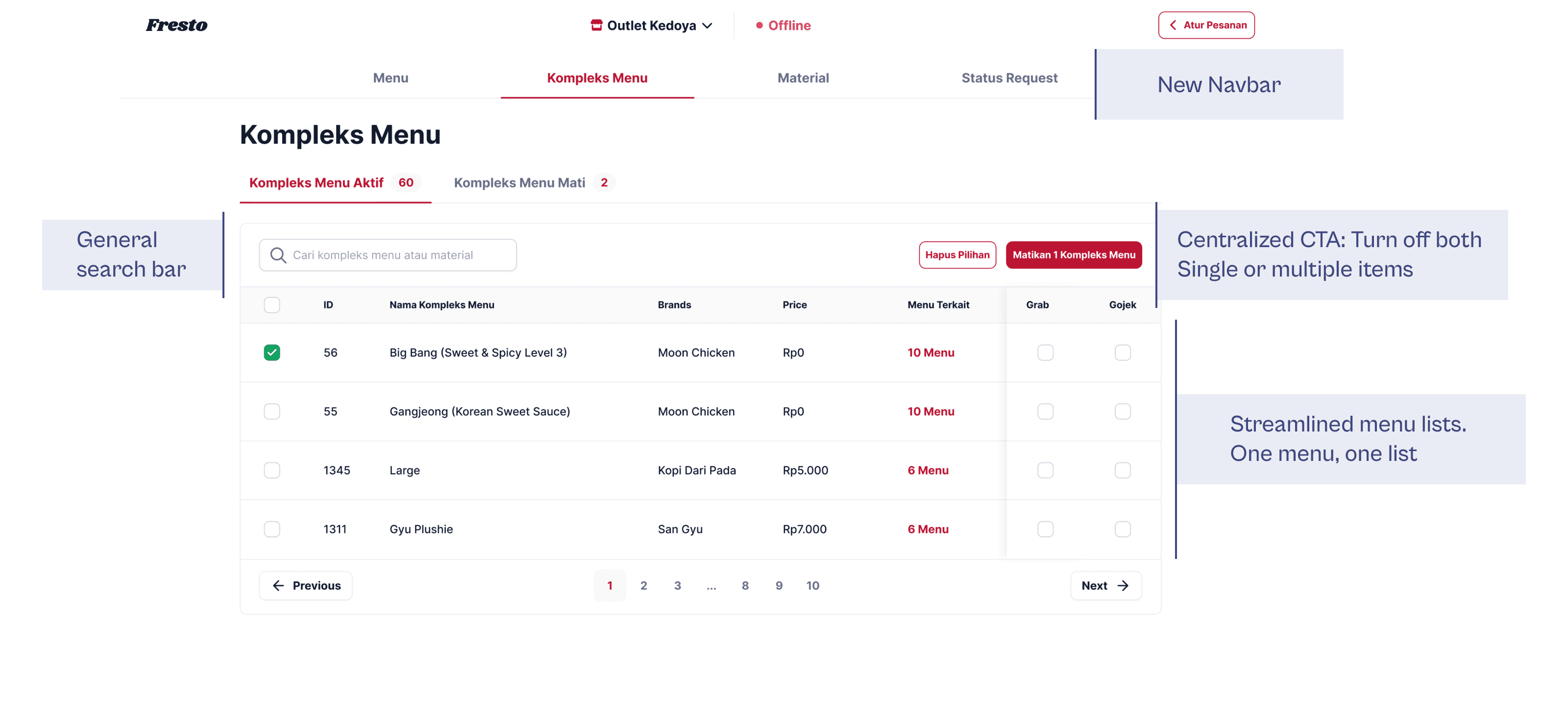
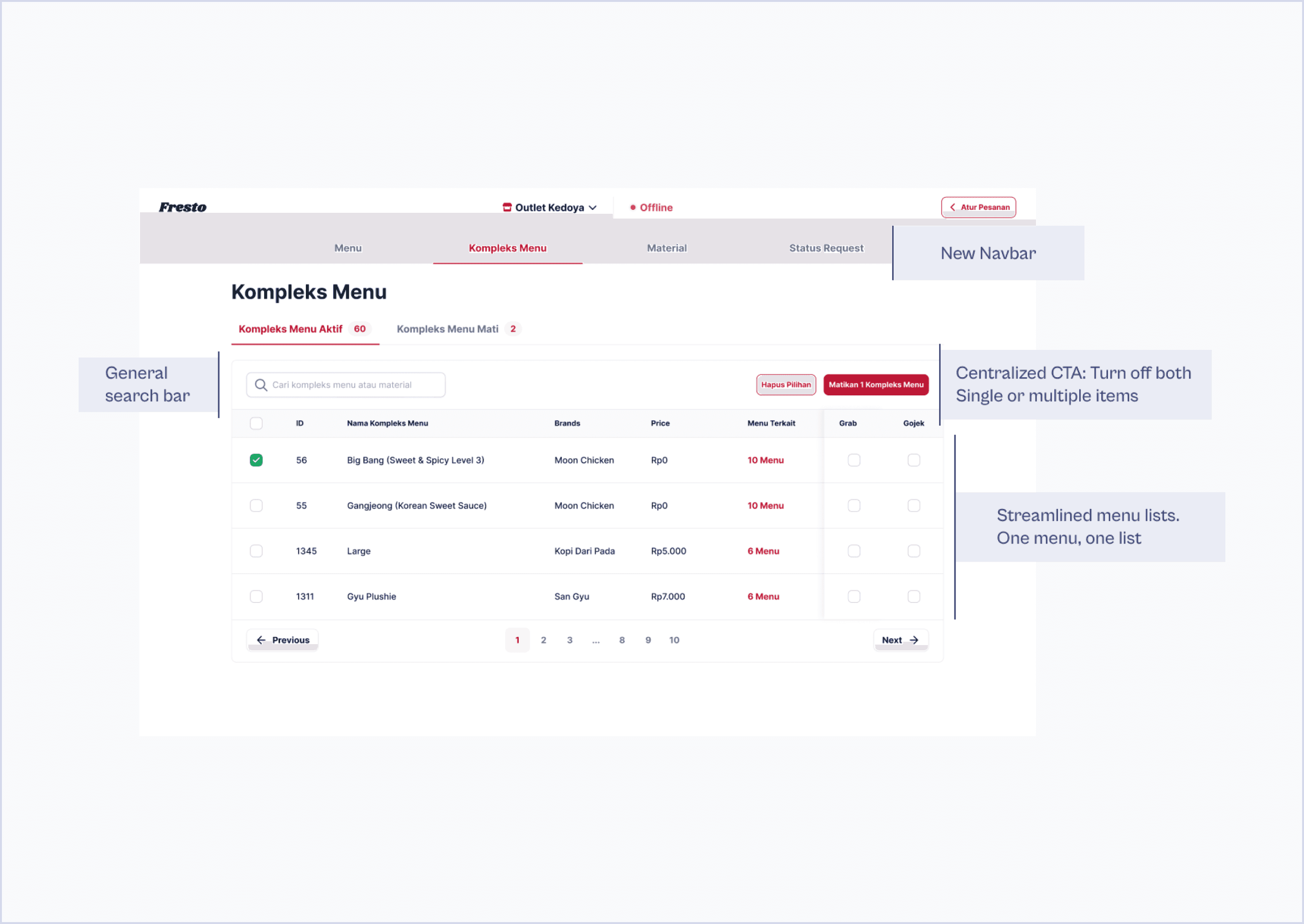
General
search bar
Centralized CTA: Turn off both
Single or multiple items
Streamlined menu lists.
One menu, one list
New Navbar
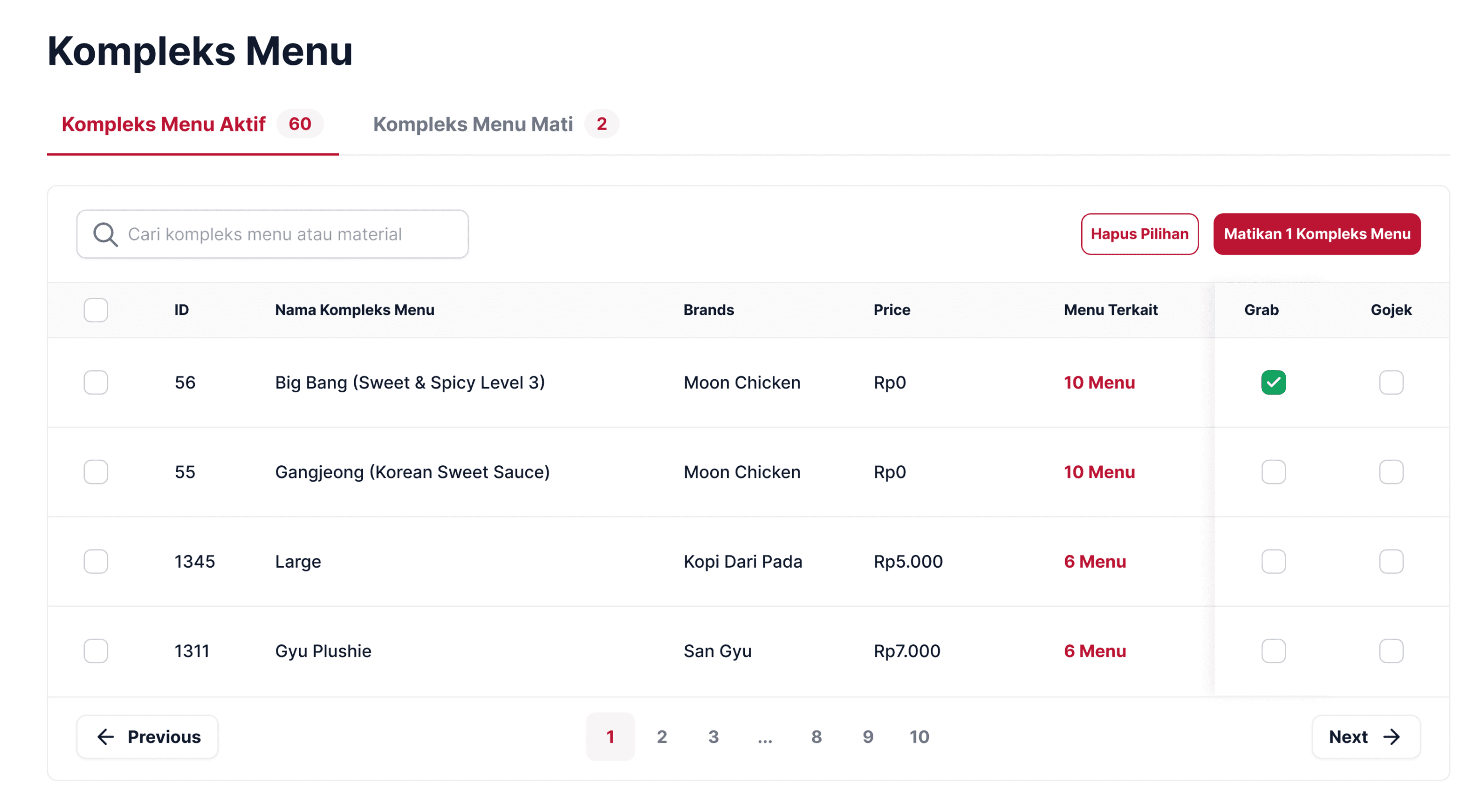
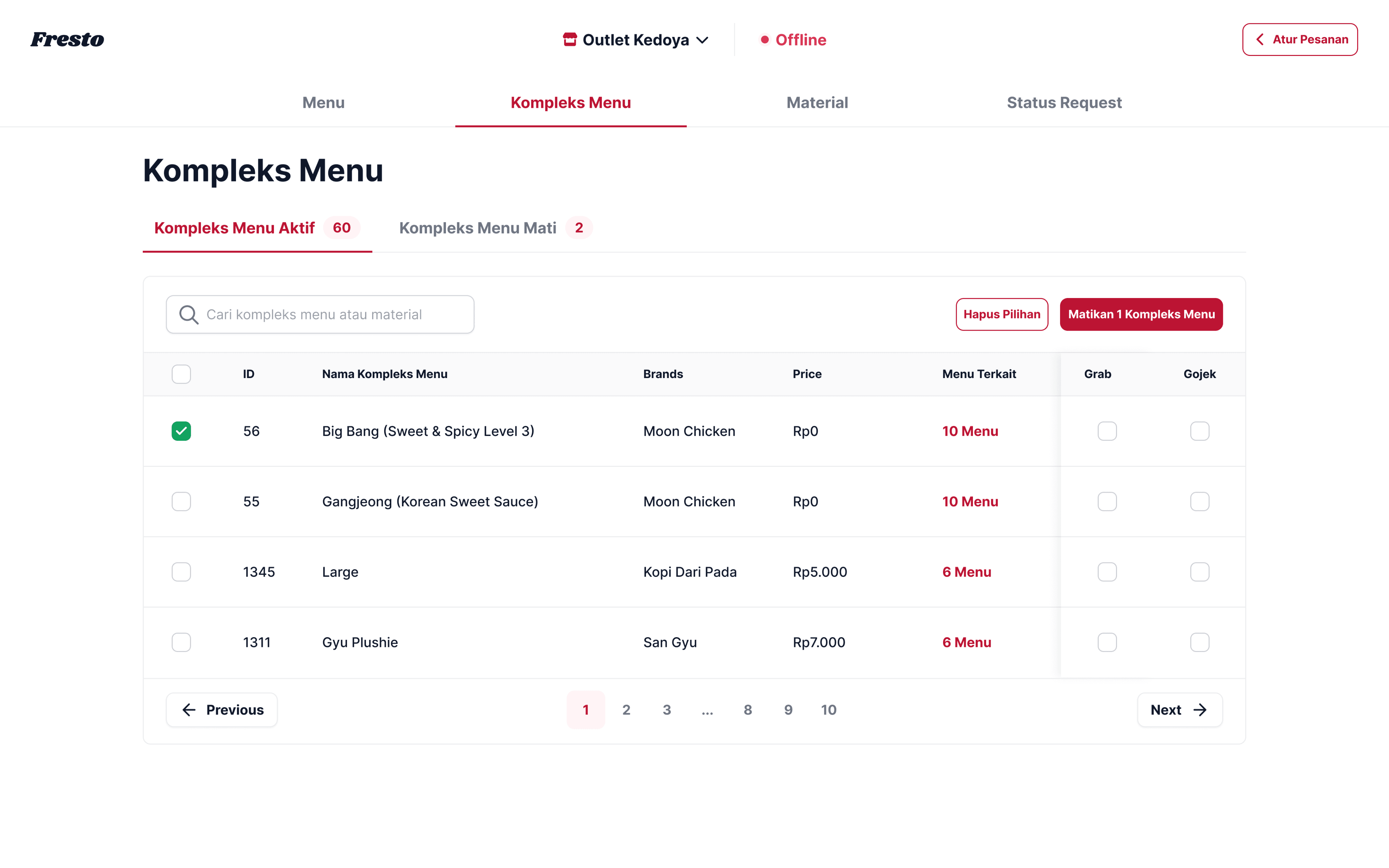
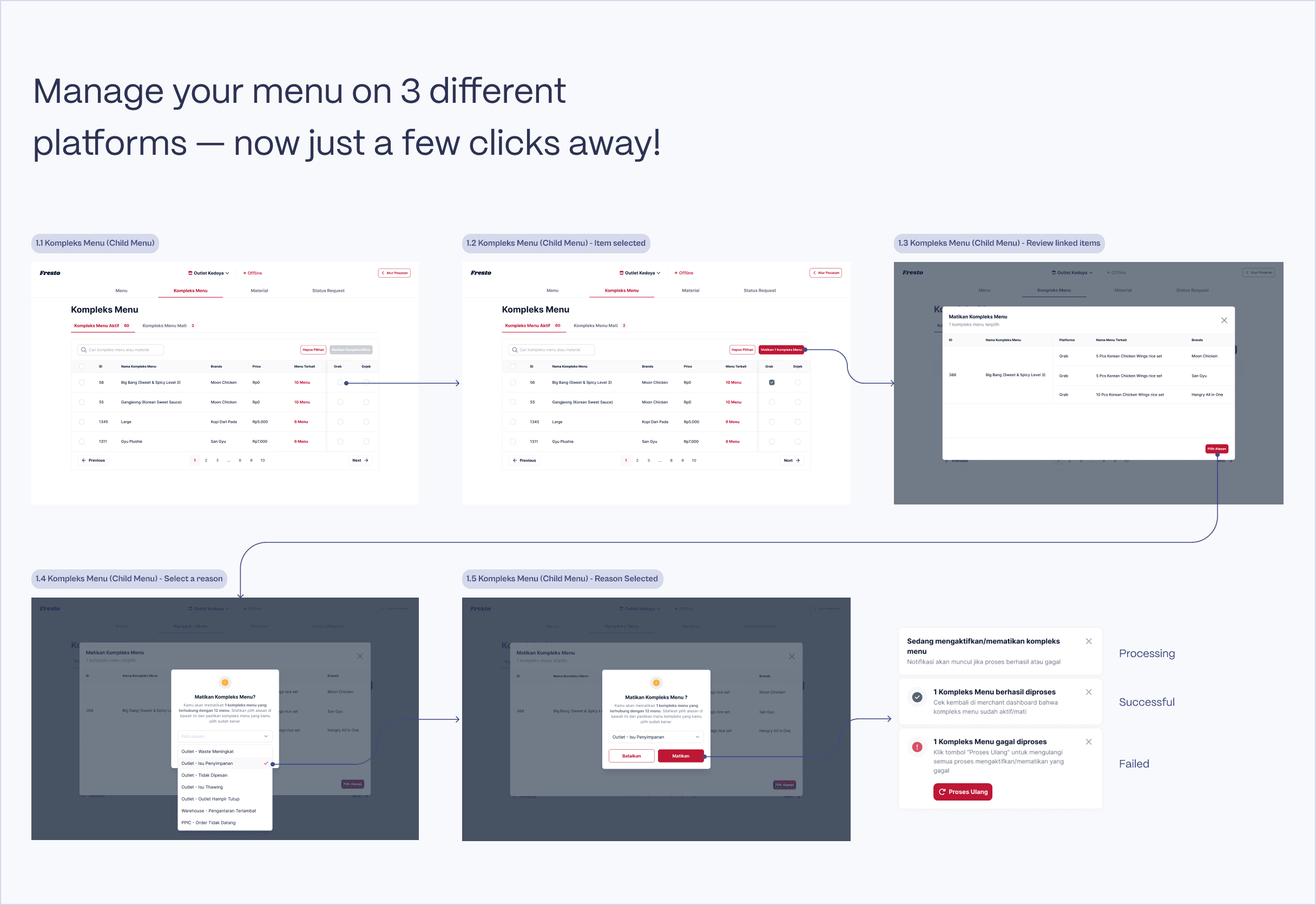
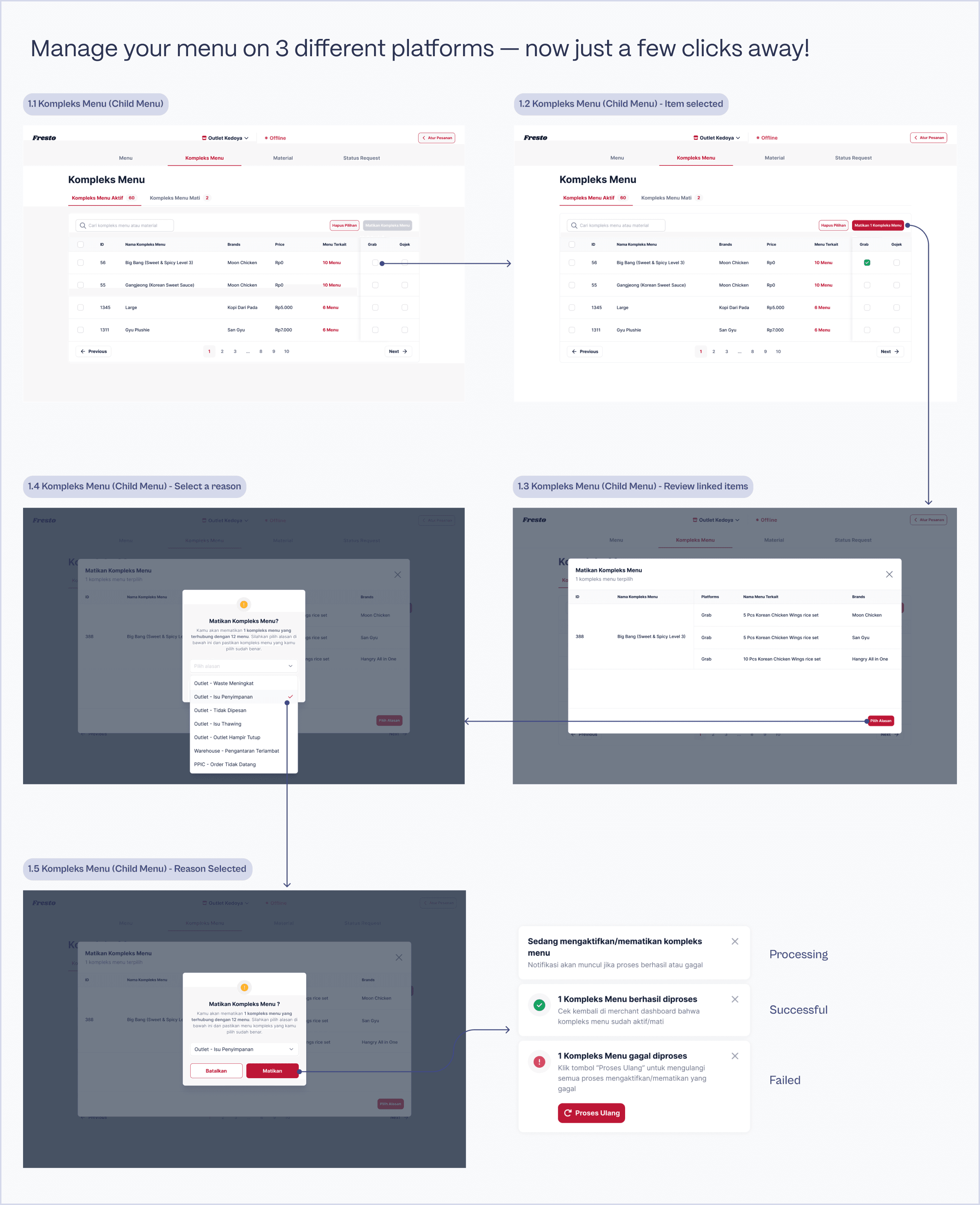
Here's the final UI of one of the modules in the menu management system, the Child Menu module. We went through several rounds of testing to reach this final version, including, but not limited to:
Internal testing.
Trial at one of our outlets.
Only after implementing improvements based on the feedback gathered from these trials were we able to release this tool to all Hangry outlets.
Here's the final UI of one of the modules in the menu management system, the Child Menu module. We went through several rounds of testing to reach this final version, including, but not limited to:
Internal testing.
Trial at one of our outlets.
Only after implementing improvements based on the feedback gathered from these trials were we able to release this tool to all Hangry outlets.
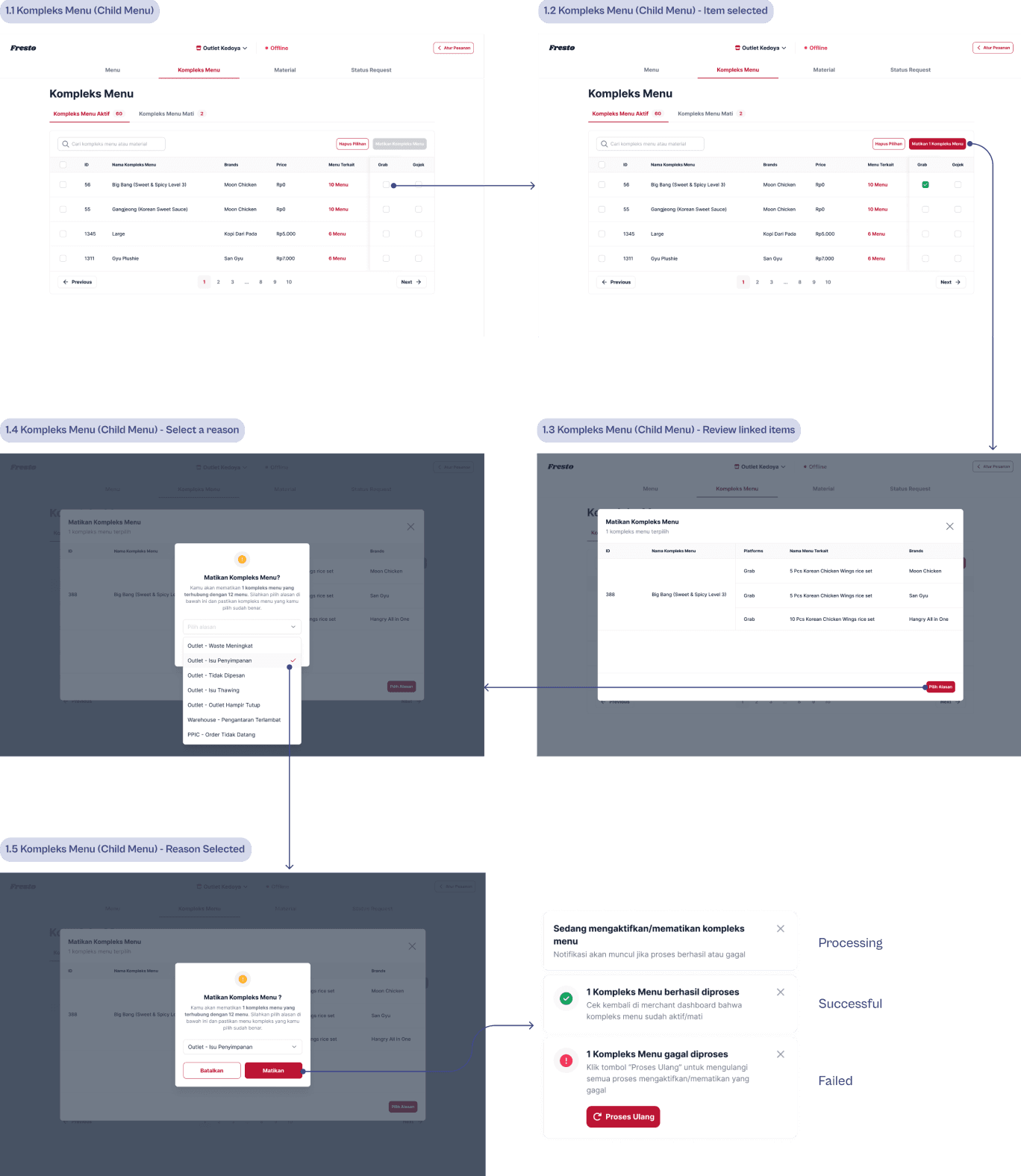
Manage your menu on 3 different platforms — now just a few clicks away!
Key takeaways
Key takeaways
Don't forget to set up a trial first before releasing such big features/products to avoid potential losses.
Always take everything with a grain of salt → Do not believe everything in the PRD as there might be assumptions and mistakes. Make sure you question everything.
Always go back to your users to gather requirements or ask for feedback because, at the end of the day, they are the ones who are going to use the product.
Don't forget to set up a trial first before releasing such big features/products to avoid potential losses.
Always take everything with a grain of salt → Do not believe everything in the PRD as there might be assumptions and mistakes. Make sure you question everything.
Always go back to your users to gather requirements or ask for feedback because, at the end of the day, they are the ones who are going to use the product.
2024 Wahyu Wiryana Portfolio • All Rights Reserved