Back to homepage
Back to homepage
Designing & introducing in-App QR scan instruction
Designing & introducing in-App QR scan instruction
Hangry • 2022
Hangry • 2022
F&B
F&B
Mobile App
Mobile App
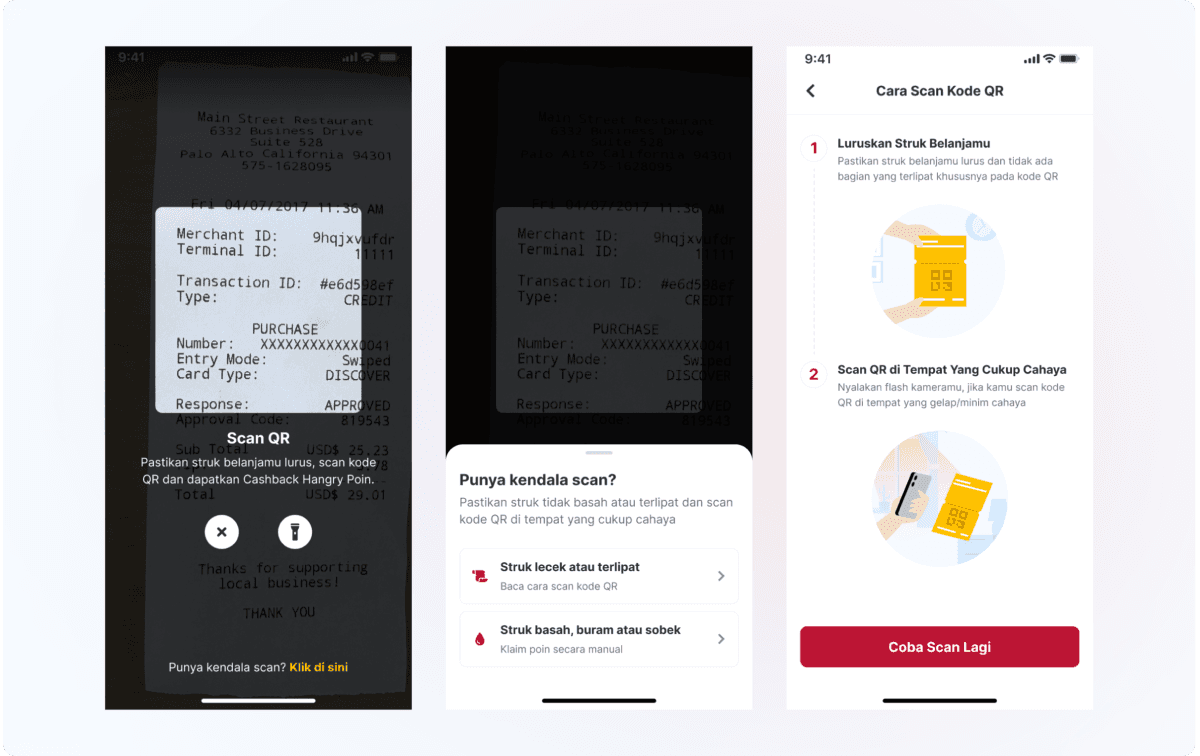
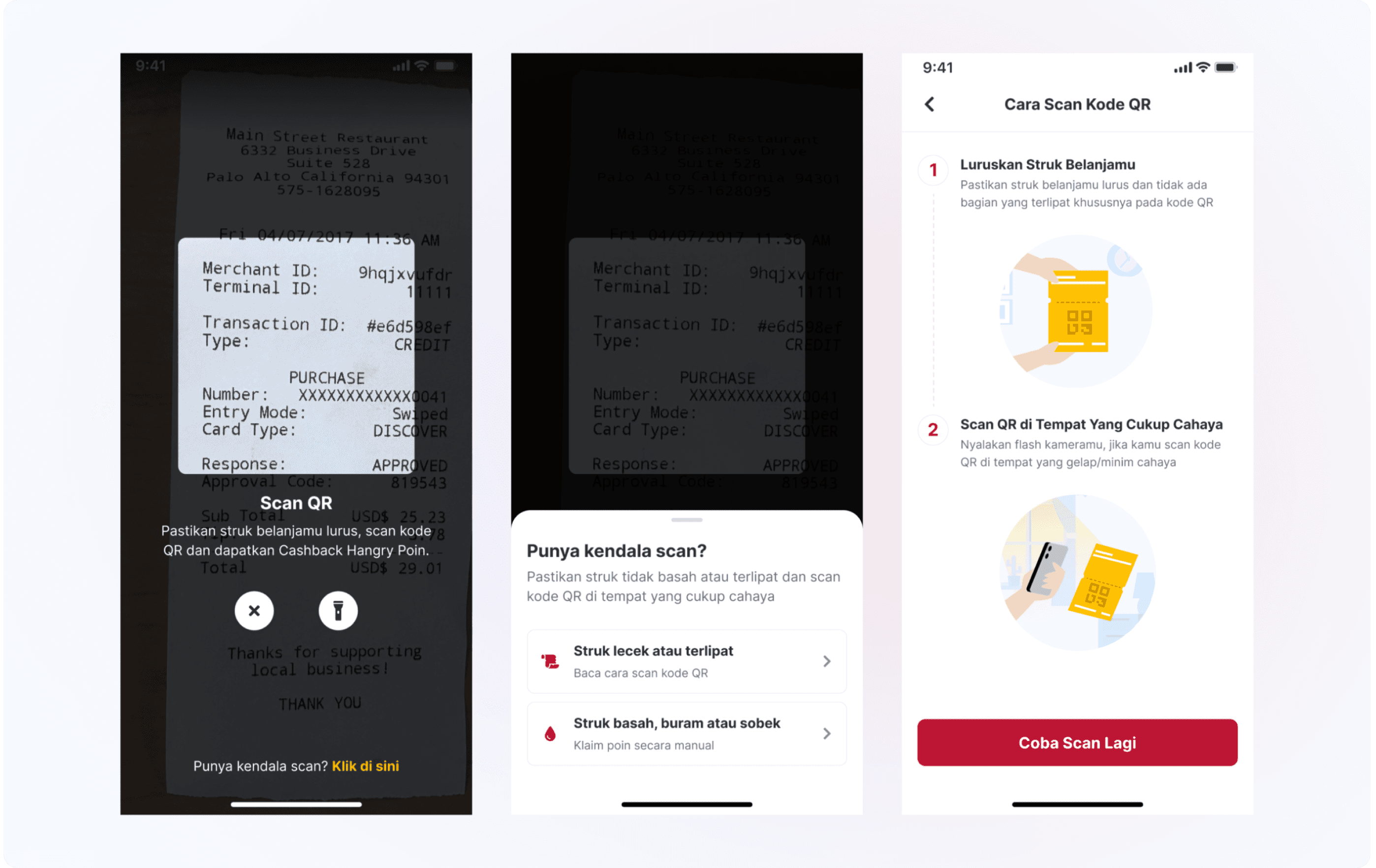
I was the design lead on this project, where I successfully launched this feature in my first month at Hangry.
I was the design lead on this project, where I successfully launched this feature in my first month at Hangry.
The outcome
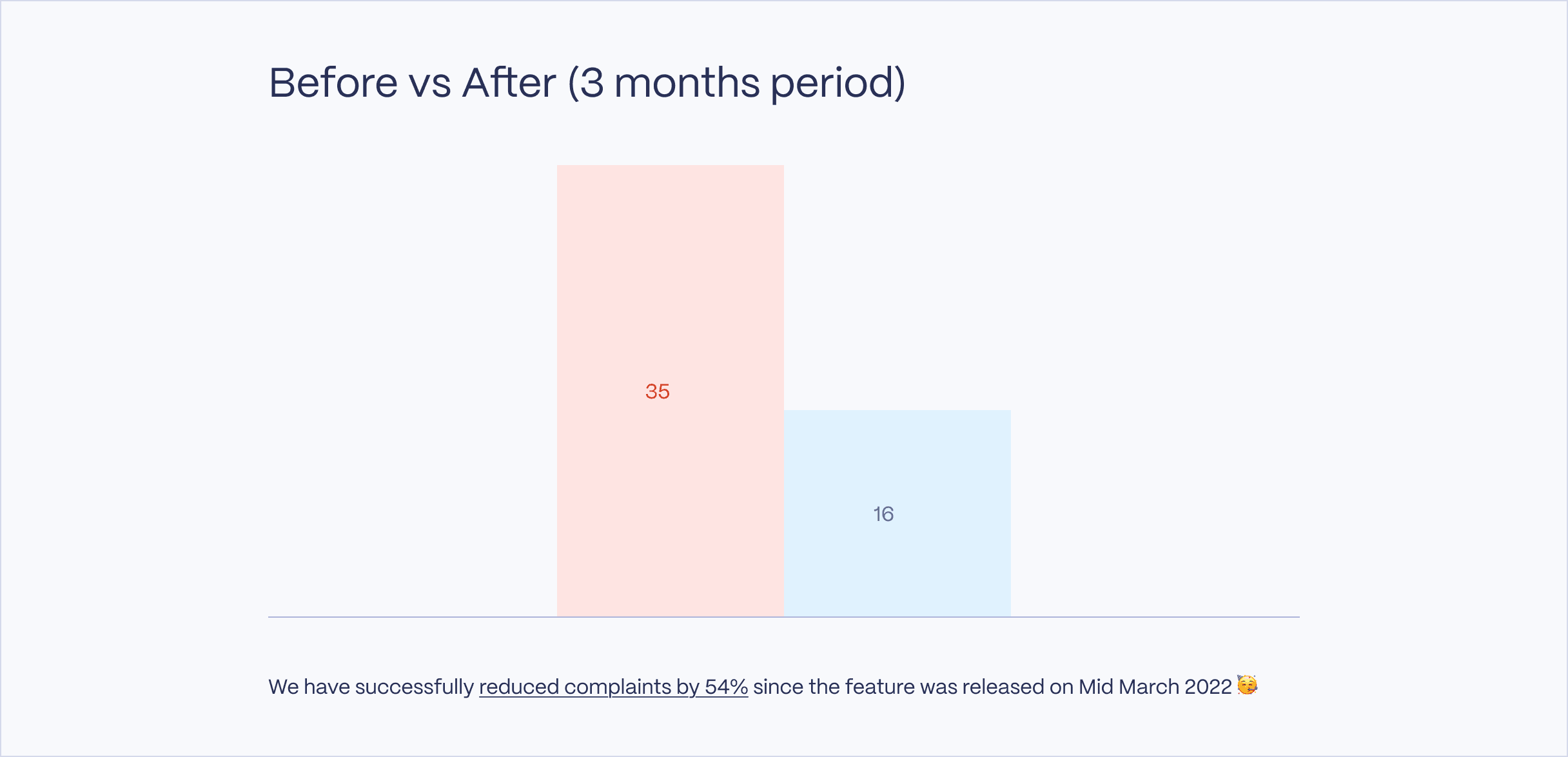
Reduced user complaints by up to 54% through in-app instructions.
Reduced user complaints by up to 54% through in-app instructions.
Visit Project
Visit Project
Company
Hangry is a multi-brand virtual restaurant company based in Jakarta, focusing on serving great food through food delivery channels.
Hangry is a multi-brand virtual restaurant company based in Jakarta, focusing on serving great food through food delivery channels.
The product
The QR Scanner feature in the Hangry app allows users to scan the receipt QR code received with their food purchases from online platforms like GoFood, GrabFood, and ShopeeFood to earn Hangry Points.
The QR Scanner feature in the Hangry app allows users to scan the receipt QR code received with their food purchases from online platforms like GoFood, GrabFood, and ShopeeFood to earn Hangry Points.
Timeline
Feb - Mar 2022
Feb - Mar 2022
Role
Design lead
UX design
Visual design
UX research
Design lead
UX design
Visual design
UX research
Team
1 designer
1 head of product
1 engineer
1 designer
1 head of product
1 engineer
Problems
1.
Difficulty in scanning receipts.
2.
Low success rate.
Problems
1.
Difficulty in scanning receipts.
2.
Low success rate.
Objectives
Objectives
1.
1.
To assist users who have trouble scanning their QR codes.
To assist users who have trouble scanning their QR codes.
2.
2.
To reduce user complaints by helping those who have trouble scanning their QR codes.
To reduce user complaints by helping those who have trouble scanning their QR codes.
Hypotheses
Hypotheses
Based on the project background, there are several possibilities that could cause difficulty in scanning the QR Code, including but not limited to:
Printer quality.
QR Code density.
User’s phone camera quality.
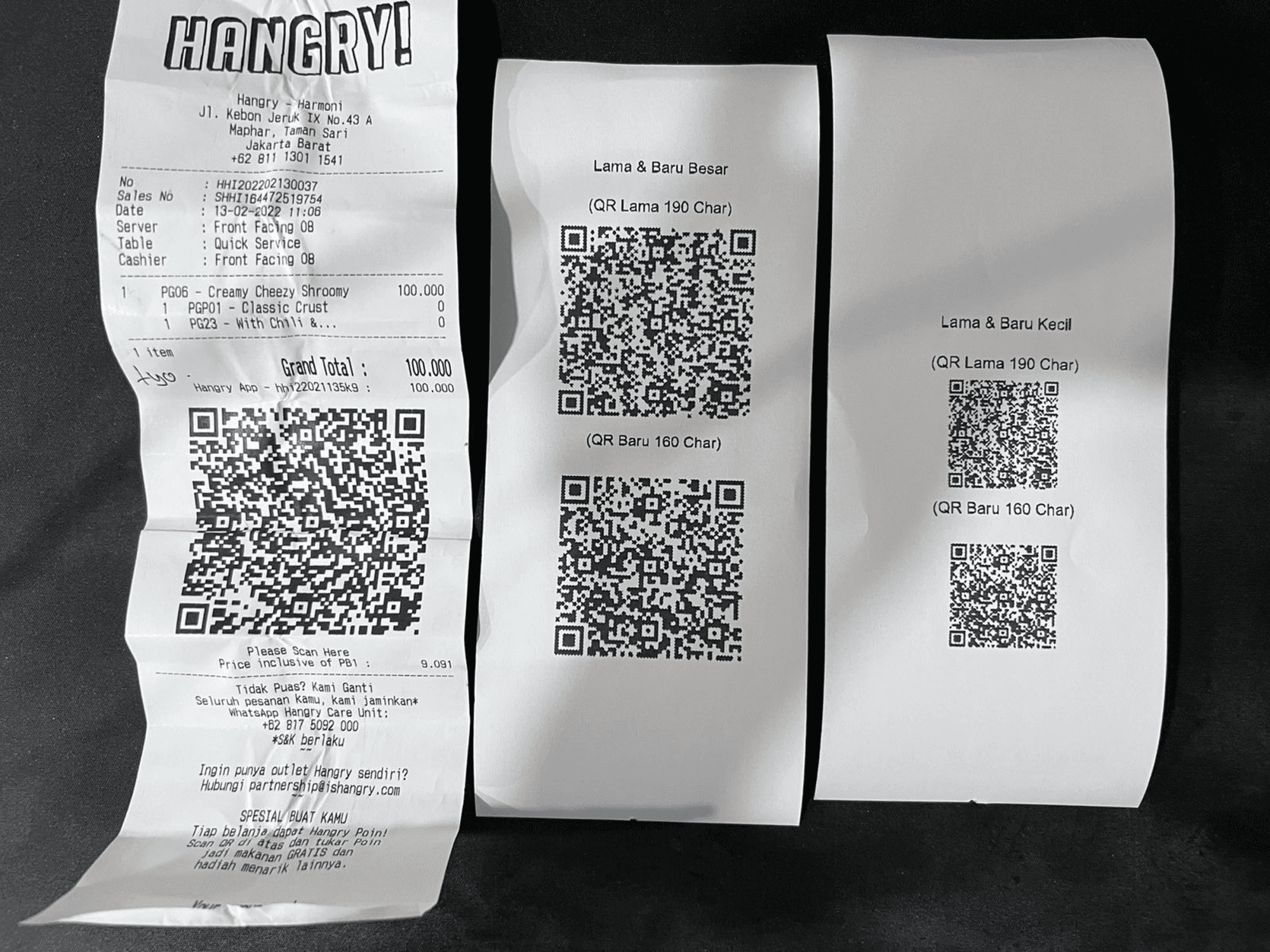
To test these hypotheses, we conducted an experiment in which we printed several QR codes of varying sizes (small and large) and scanned them using both an Android (Infinix) and an iOS (iPhone 6s) device.
Based on the project background, there are several possibilities that could cause difficulty in scanning the QR Code, including but not limited to:
Printer quality.
QR Code density.
User’s phone camera quality.
To test these hypotheses, we conducted an experiment in which we printed several QR codes of varying sizes (small and large) and scanned them using both an Android (Infinix) and an iOS (iPhone 6s) device.
The experiment results
The experiment results
Flattening QR receipts drastically improves the success rate.
The size of the print area for QR codes, whether small or big, did not affect the scan success rate.
On bent or arched QR receipts, iOS tends to have a higher success rate.
Compared to the native camera app or Google Lens, the Hangry App camera has a better response and higher success rate on both Android and iOS.
Flattening QR receipts drastically improves the success rate.
The size of the print area for QR codes, whether small or big, did not affect the scan success rate.
On bent or arched QR receipts, iOS tends to have a higher success rate.
Compared to the native camera app or Google Lens, the Hangry App camera has a better response and higher success rate on both Android and iOS.
Conclusion
Focus on instructing users to flatten and stretch QR codes.
There is no evidence that reducing the QR payload or increasing the print area leads to a higher scan success rate.
Focus on instructing users to flatten and stretch QR codes.
There is no evidence that reducing the QR payload or increasing the print area leads to a higher scan success rate.
The challenge
How might we help users scanning their QR Code properly by providing in-app instructions & reduce users’ complaints?
How might we help users scanning their QR Code properly by providing in-app instructions & reduce users’ complaints?
The existing design
The existing design
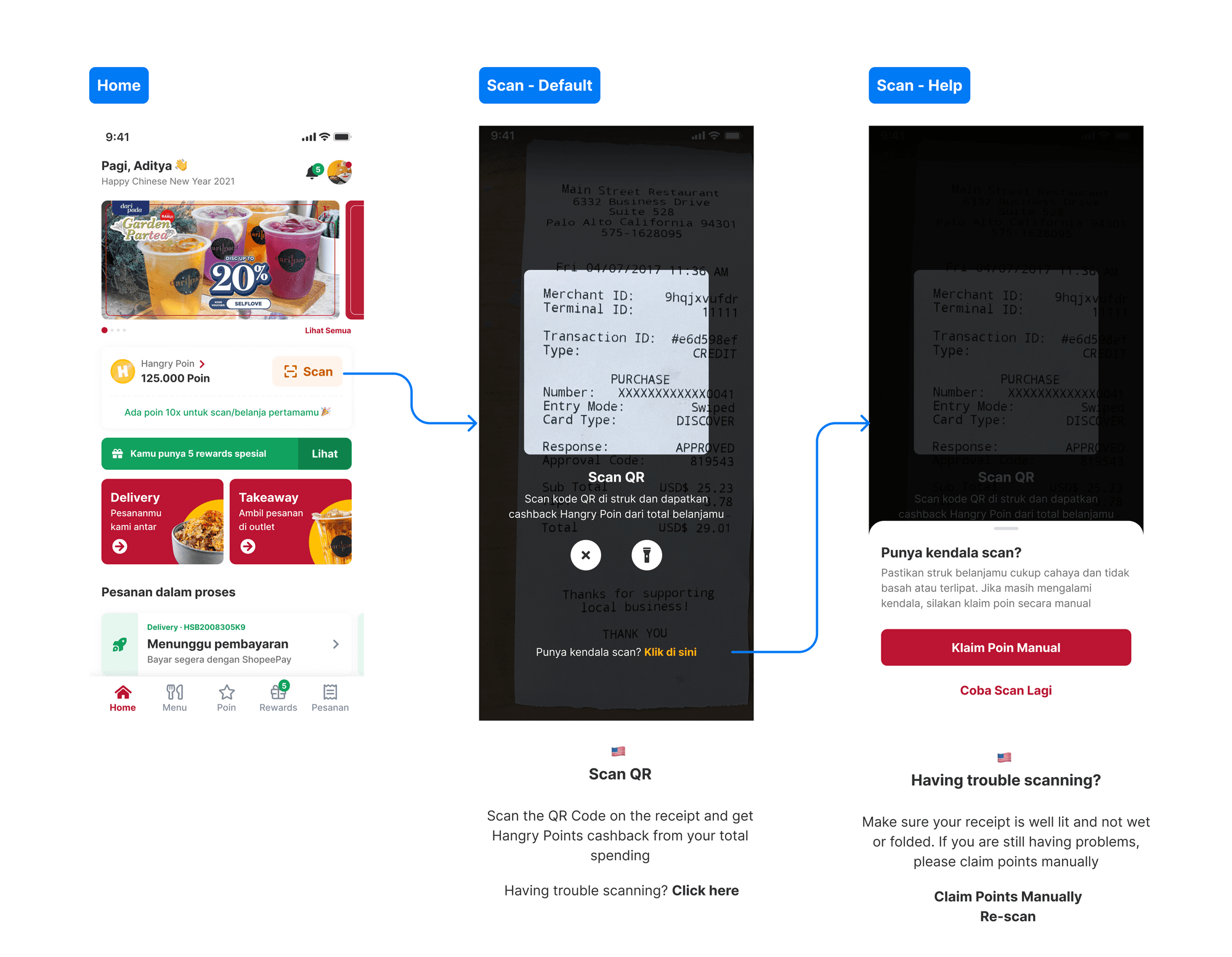
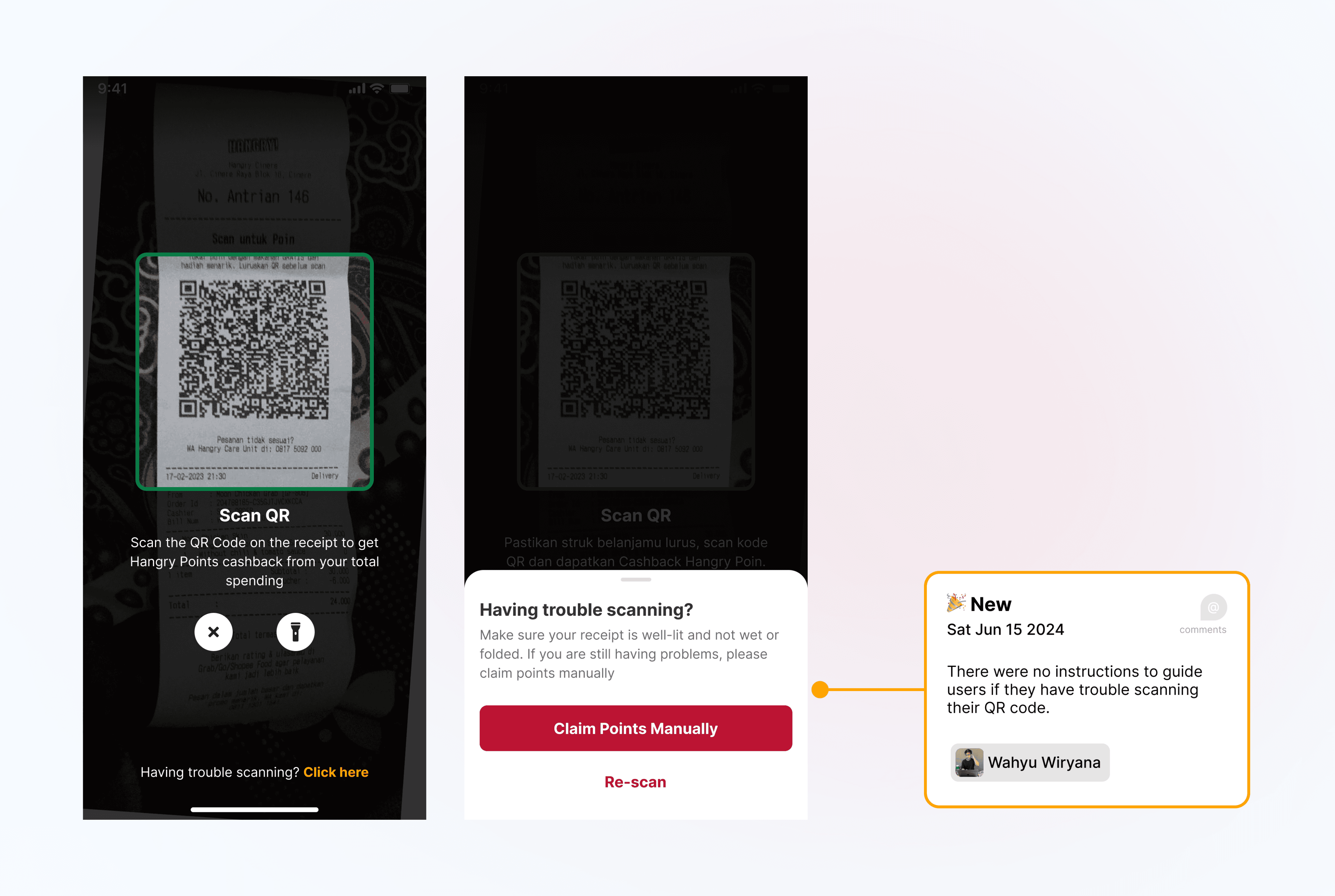
As shown in the design above, especially on the scan help page, the only available options are 'Claim Points Manually' and 'Try Again.' This lack of clear instructions for users encountering issues scanning their QR codes has led to numerous complaints.
As shown in the design above, especially on the scan help page, the only available options are 'Claim Points Manually' and 'Try Again.' This lack of clear instructions for users encountering issues scanning their QR codes has led to numerous complaints.
Benchmarking
Benchmarking
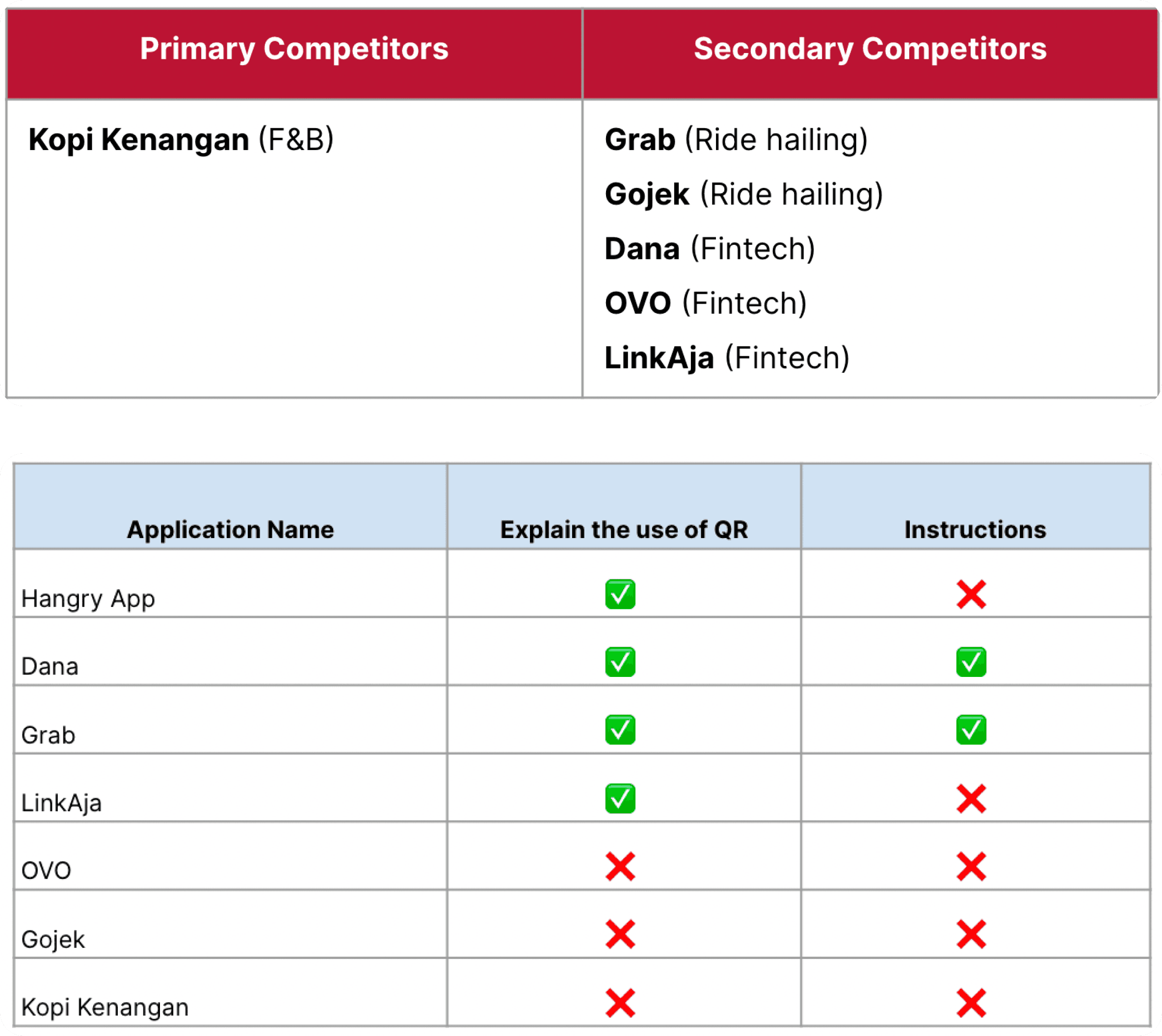
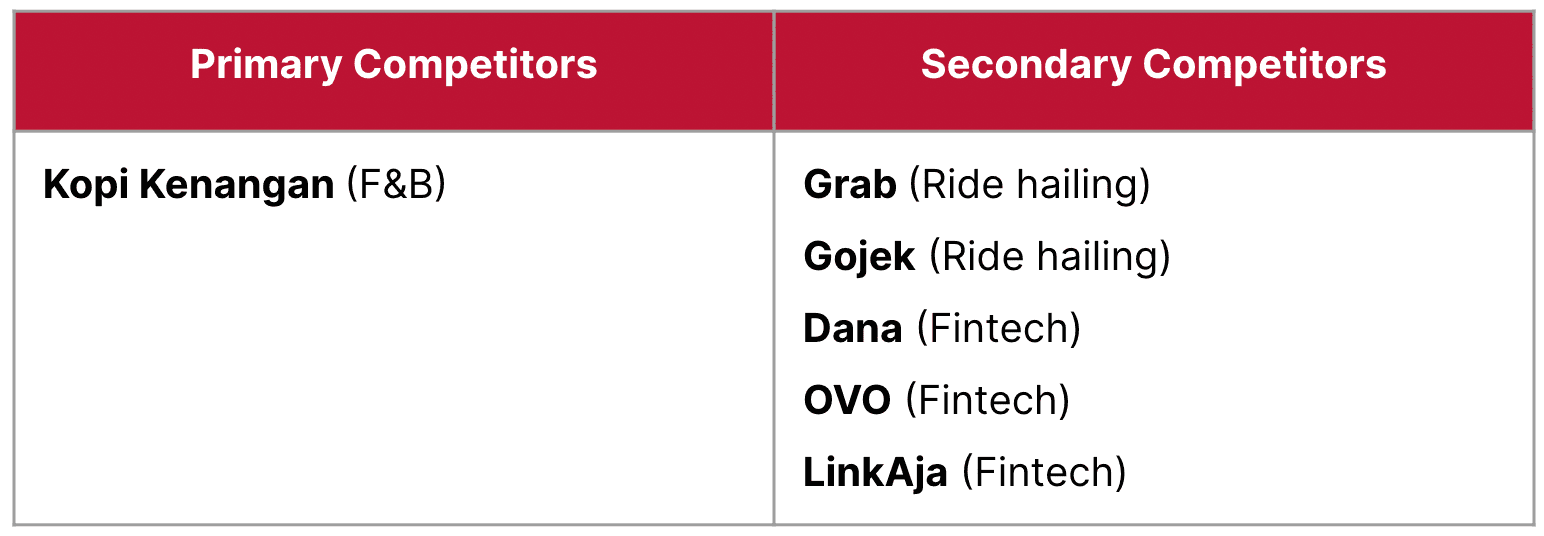
To address this issue, I conducted benchmarking on our primary and secondary competitors who have also implemented QR code scanning in their apps. This allowed me to make recommendations and identify opportunities to improve our implementation and provide better instructions for users.
To address this issue, I conducted benchmarking on our primary and secondary competitors who have also implemented QR code scanning in their apps. This allowed me to make recommendations and identify opportunities to improve our implementation and provide better instructions for users.
Findings
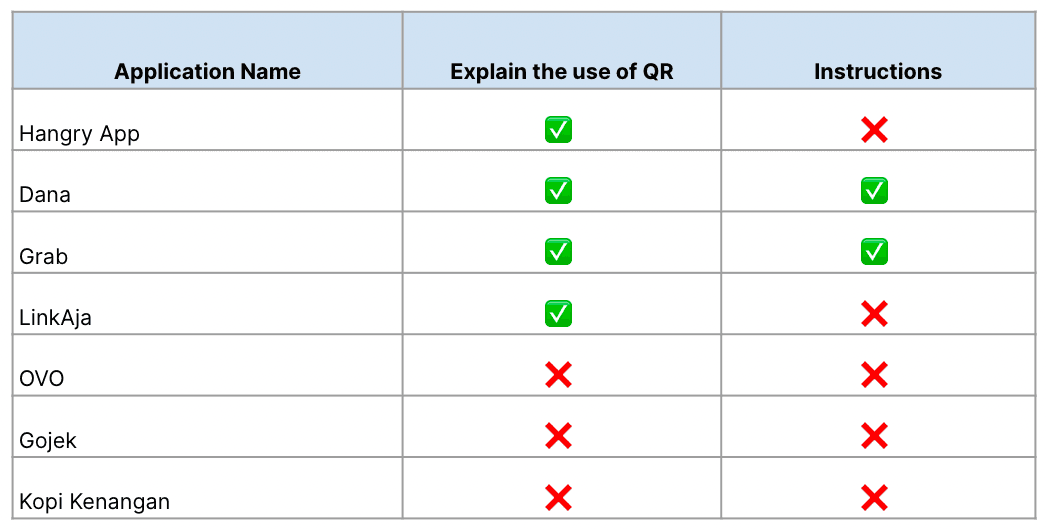
Not all applications that have adapted to scanning QR codes provide 'instructions.'
Typically, instructions are marked with a '?' icon, which serves as a help function.
At this point, there are two main things that the application must provide: an explanation of how to use Scan QR and Scan QR instructions.
Of all the applications listed above, only Dana and Grab have these two important features.
They provide illustrations on the 'help' page to ensure users are aware of and understand how to properly scan QR codes.
Not all applications that have adapted to scanning QR codes provide 'instructions.'
Typically, instructions are marked with a '?' icon, which serves as a help function.
At this point, there are two main things that the application must provide: an explanation of how to use Scan QR and Scan QR instructions.
Of all the applications listed above, only Dana and Grab have these two important features.
They provide illustrations on the 'help' page to ensure users are aware of and understand how to properly scan QR codes.
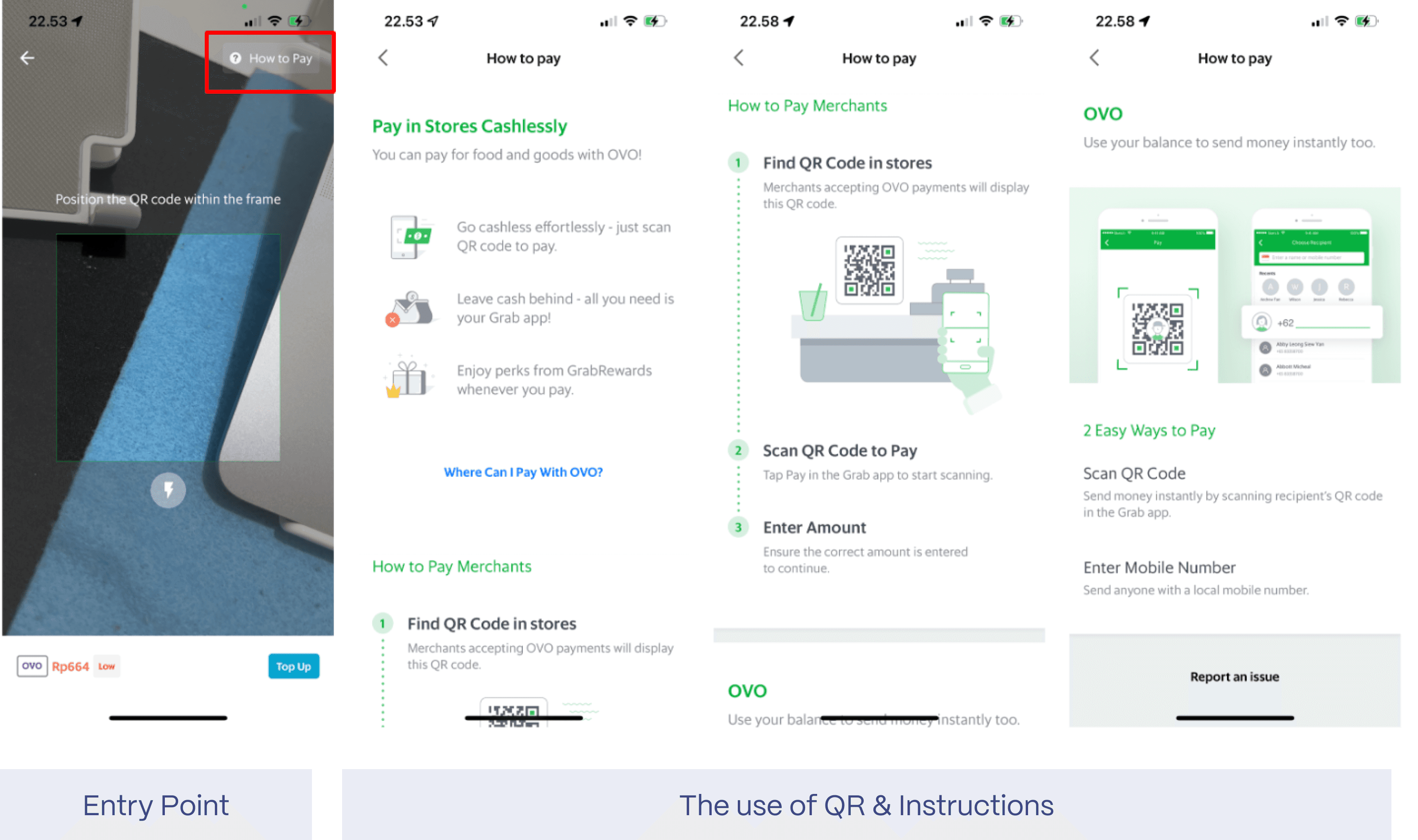
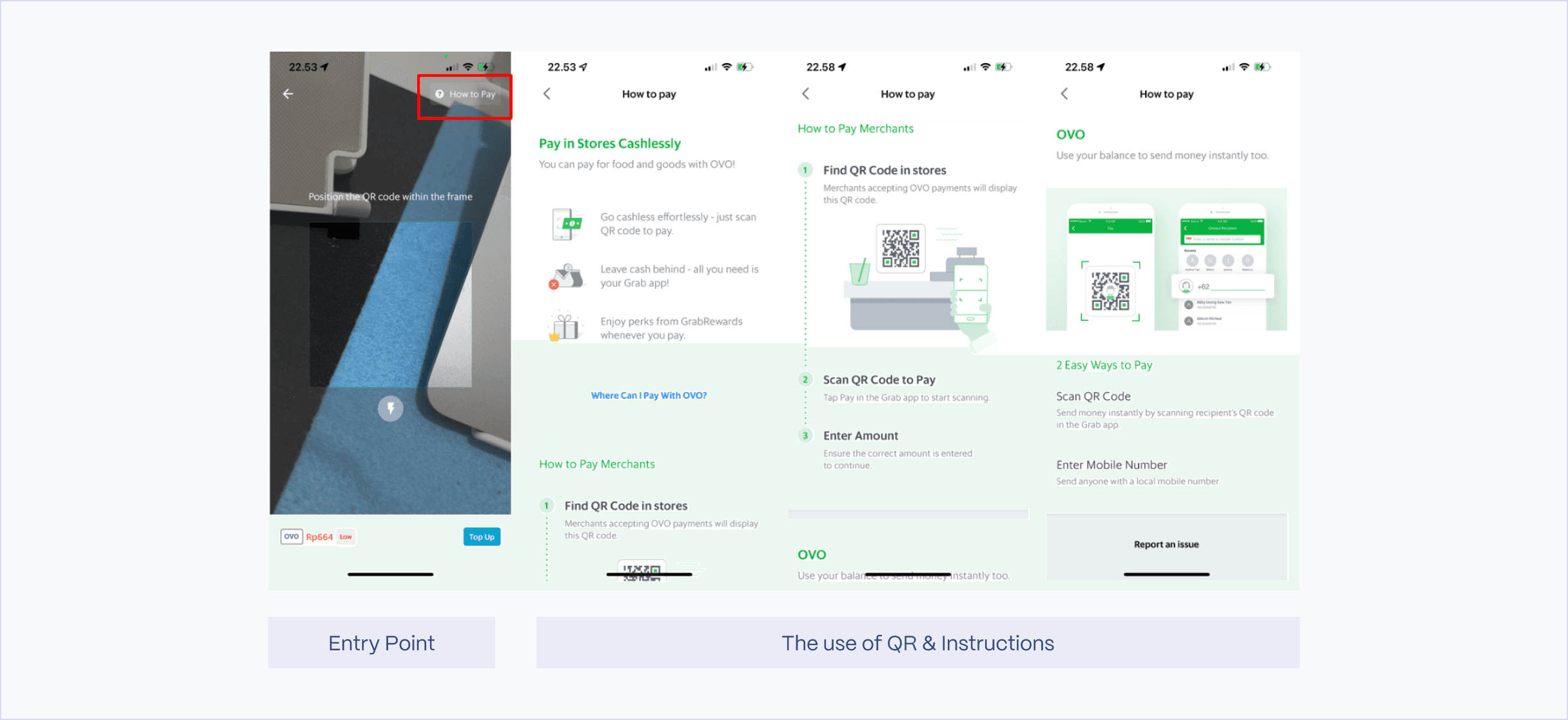
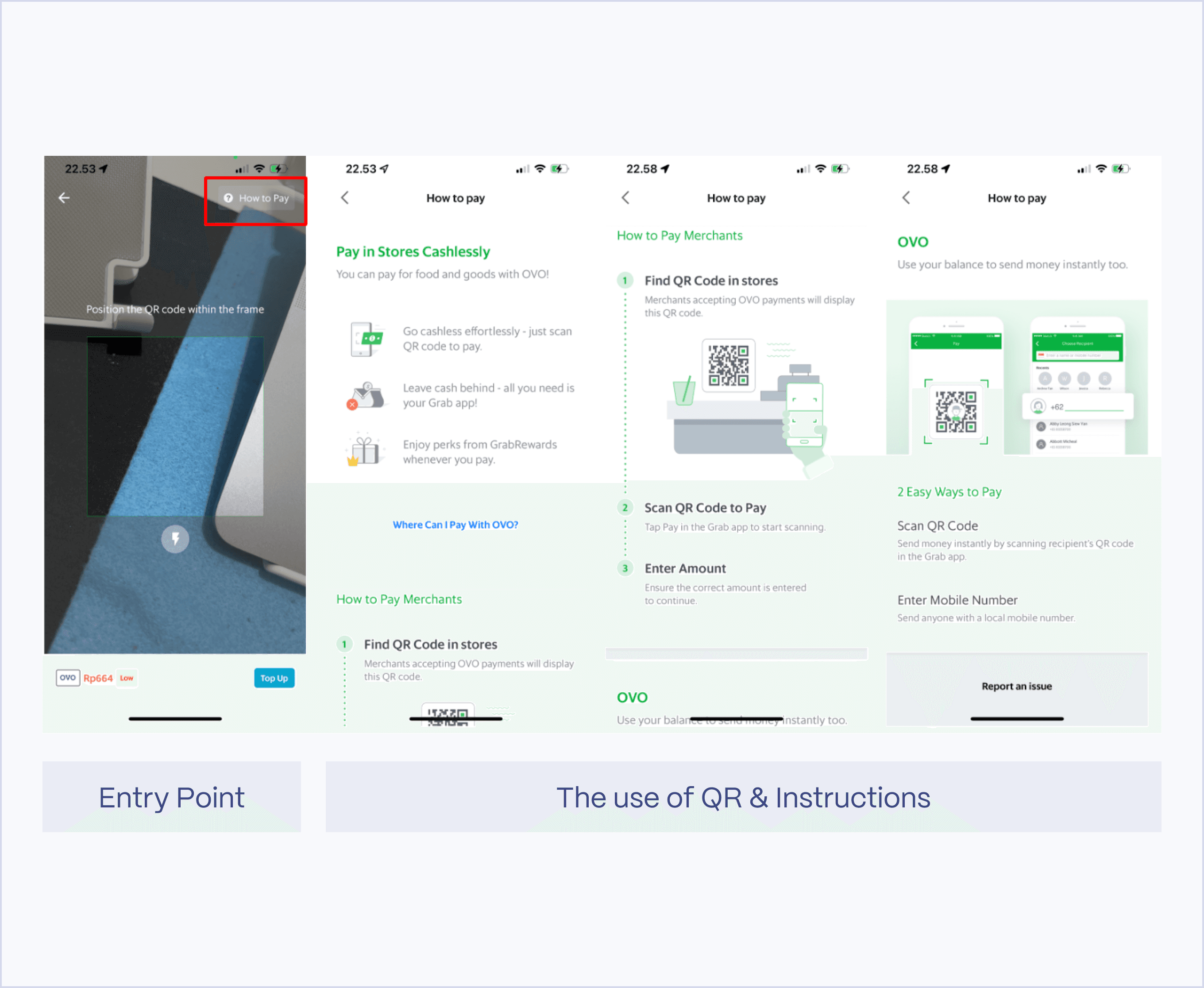
Both DANA and Grab explain how to use their scan QR code feature and also provide a 'Help?' section to guide users on how to use it properly.
Both DANA and Grab explain how to use their scan QR code feature and also provide a 'Help?' section to guide users on how to use it properly.
Sketching
Sketching
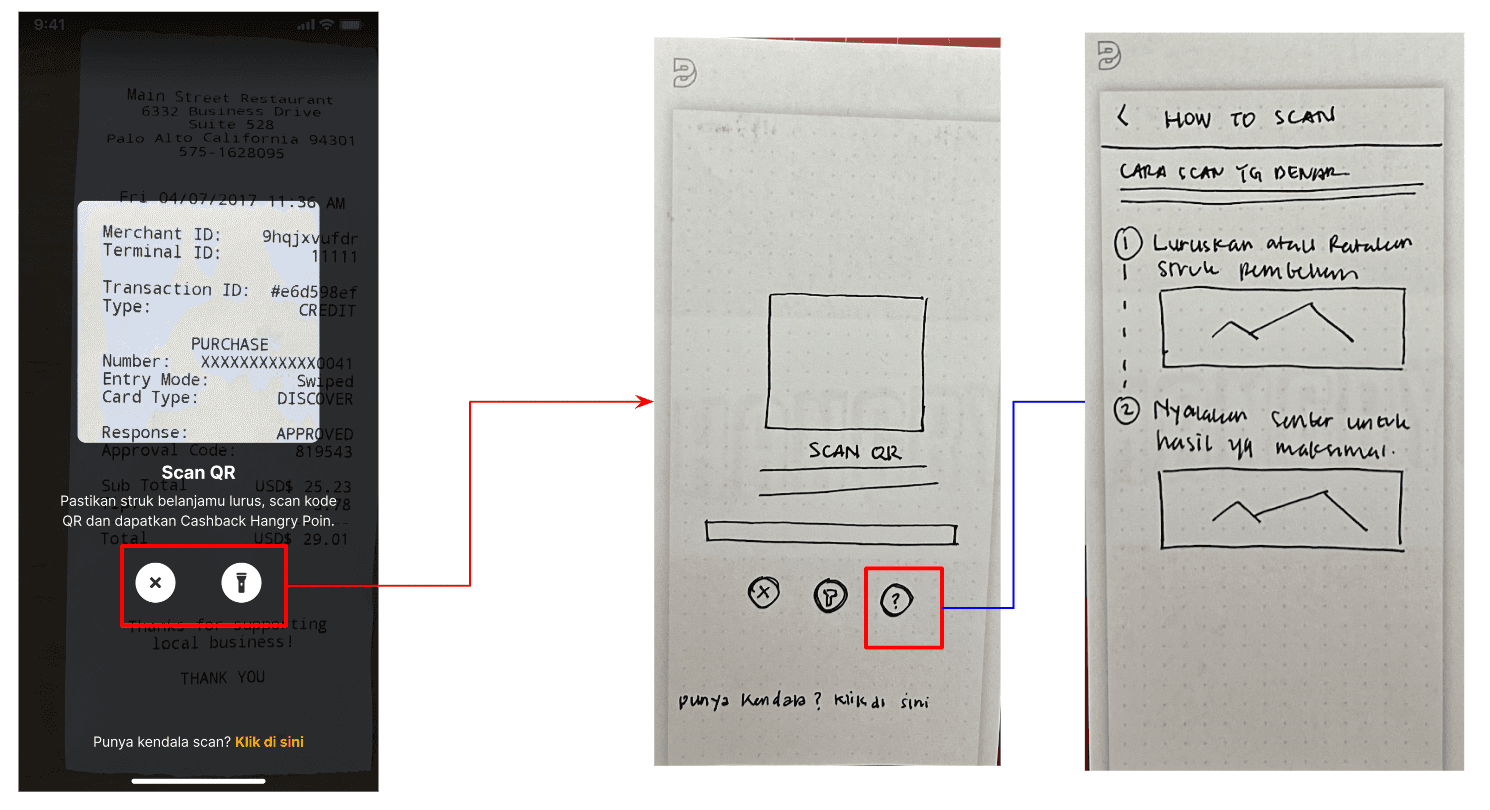
After conducting benchmarking, I decided to sketch my ideas to get feedback as early as possible.
After conducting benchmarking, I decided to sketch my ideas to get feedback as early as possible.
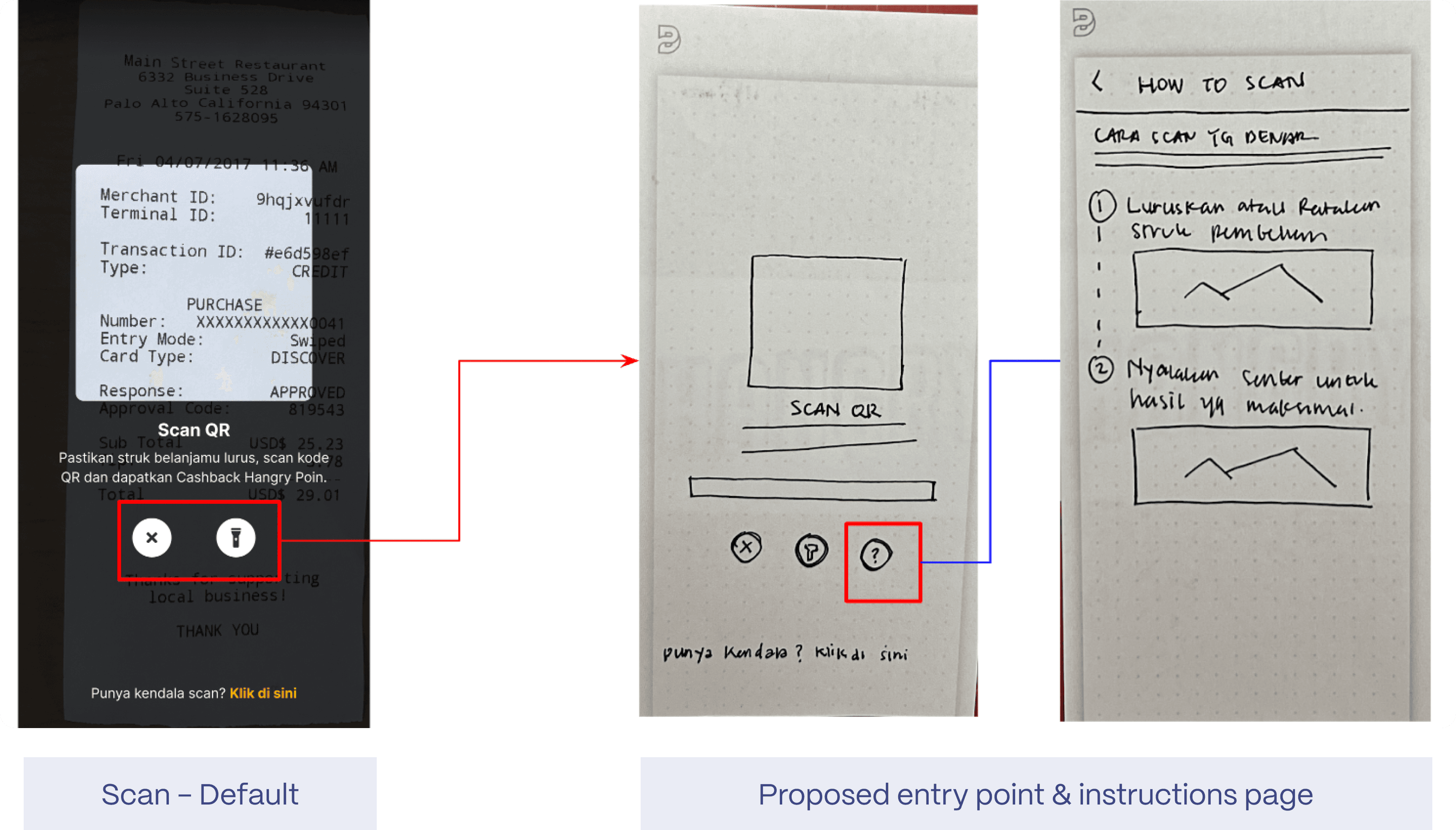
Scan - Default
Proposed entry point & instructions page
As you can see above, I added a question mark icon to this page. This icon serves as an entry point to the instructions page. This idea came from benchmarking, where 'instructions' are usually marked with a question mark icon.
Initially, I added the question mark icon to make users aware that they could click on it if they had trouble scanning the QR code. However, we already have a 'help' feature located at the bottom of the page.
After receiving feedback, I considered putting the scan instructions under the 'help' feature at the bottom of the page. This way, both the 'scan instructions' and 'claim points manually' are under the same entry point.
As you can see above, I added a question mark icon to this page. This icon serves as an entry point to the instructions page. This idea came from benchmarking, where 'instructions' are usually marked with a question mark icon.
Initially, I added the question mark icon to make users aware that they could click on it if they had trouble scanning the QR code. However, we already have a 'help' feature located at the bottom of the page.
After receiving feedback, I considered putting the scan instructions under the 'help' feature at the bottom of the page. This way, both the 'scan instructions' and 'claim points manually' are under the same entry point.
Wireframes
Wireframes
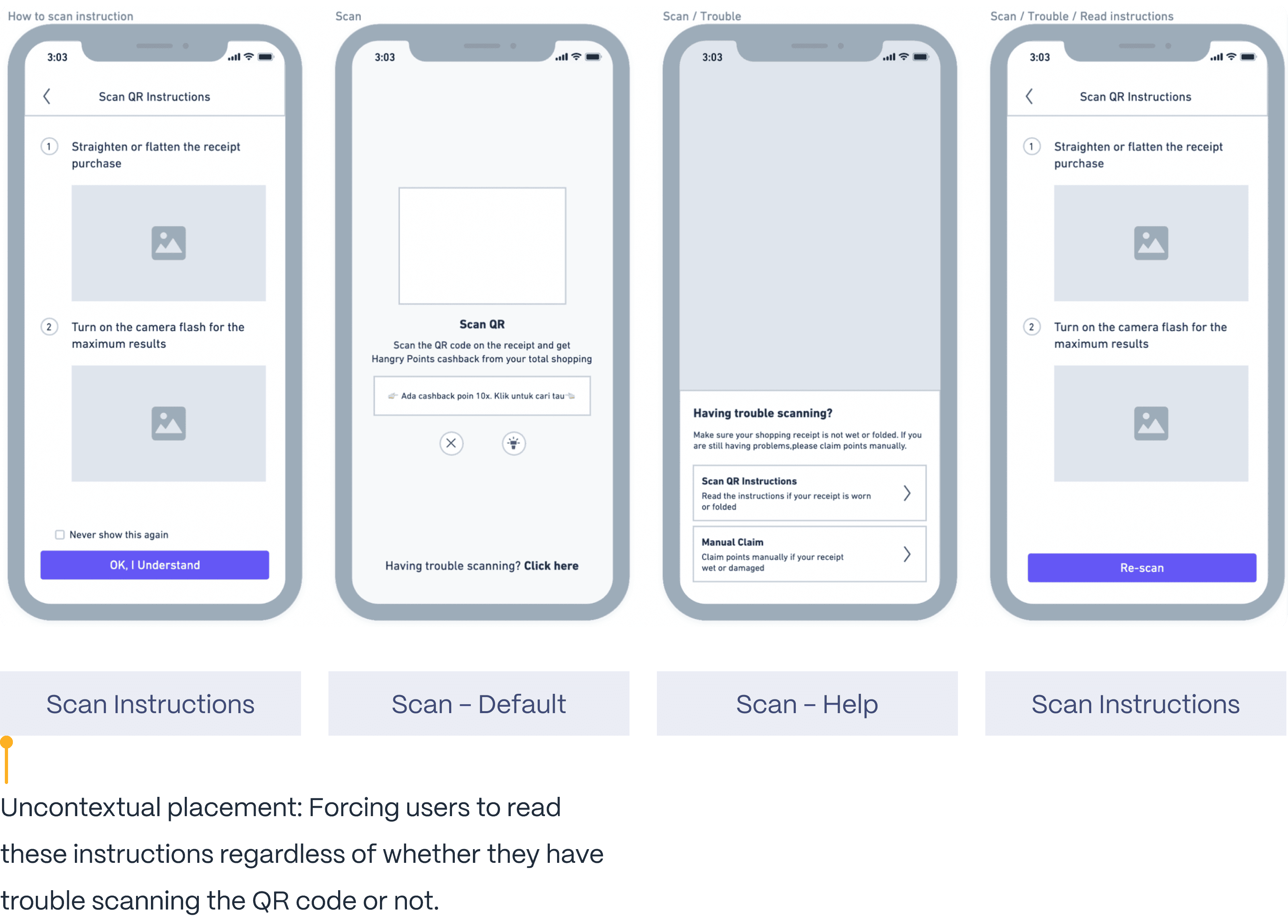
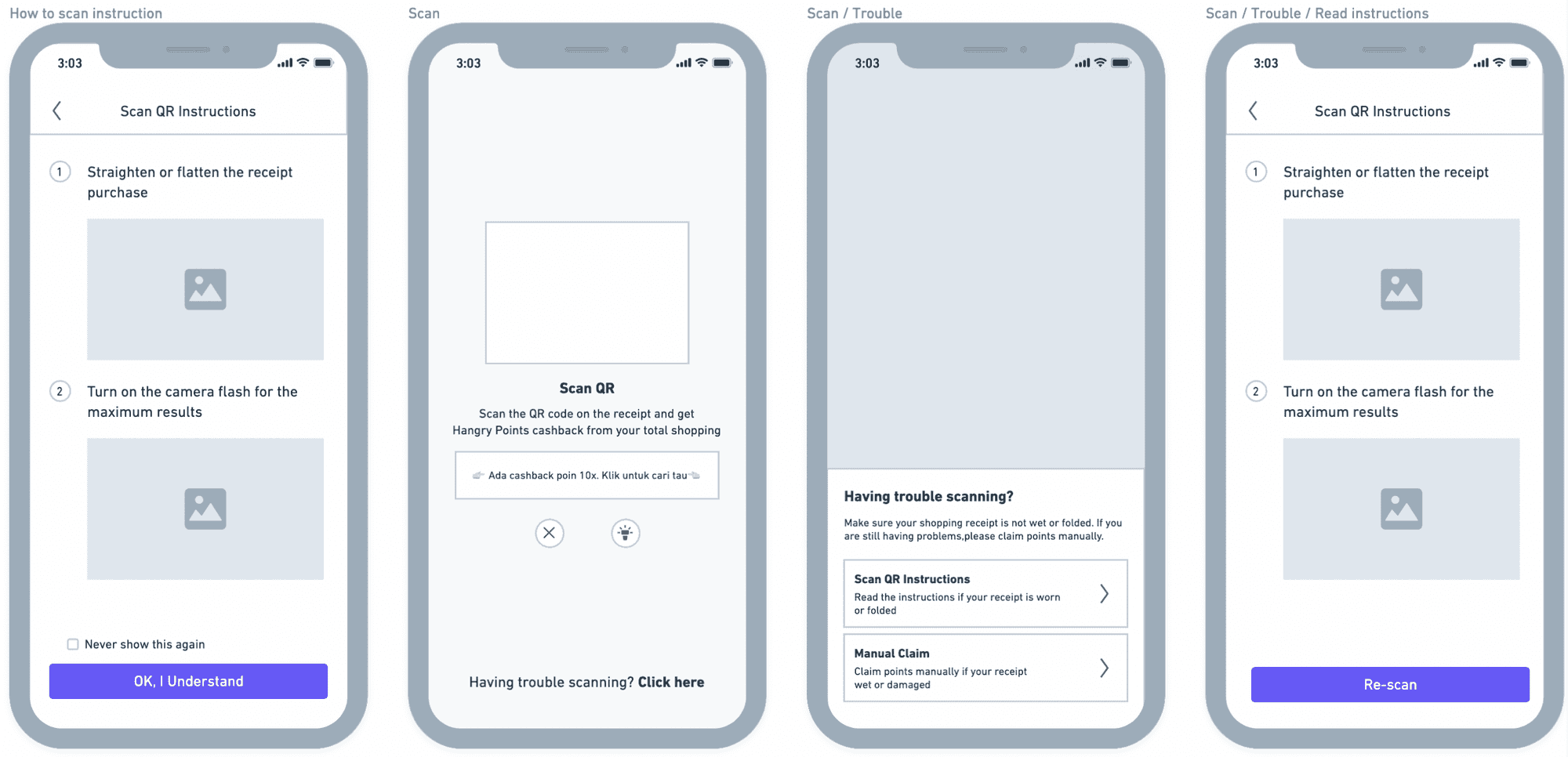
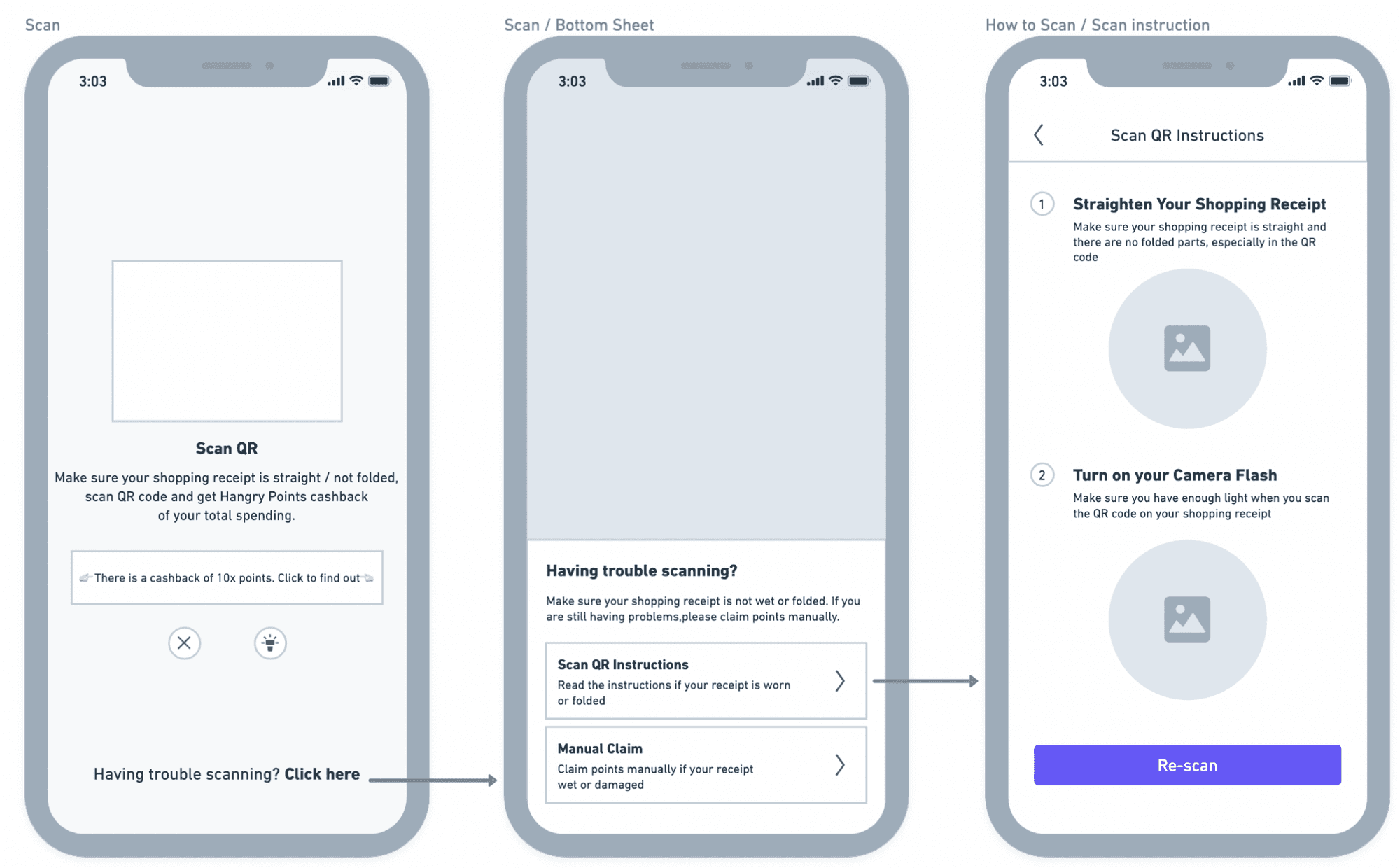
After receiving a lot of feedback on the sketch I made, I decided to move to the wireframe stage, where I changed the design based on my team's feedback.
After receiving a lot of feedback on the sketch I made, I decided to move to the wireframe stage, where I changed the design based on my team's feedback.
Scan Instructions
Scan - Default
Scan - Help
Scan Instructions
Uncontextual placement:
Forcing users to read these instructions regardless of whether they have trouble scanning the QR code or not.
I propose that all users read the instructions before entering the main 'Scan' page. However, I also want to give users the flexibility to choose whether they want to read the instructions or not. This can be achieved by adding a checkbox.
There is, however, one downside to this approach from our point of view. Some users may find it frustrating to be redirected to the 'Read Scan QR Instructions' page first, especially if they do not need to read it. This page may block users from completing their tasks efficiently.
Therefore, we have decided not to force users to read the instructions and instead give them more control and freedom. Users can choose when and how to read the instructions.
I propose that all users read the instructions before entering the main 'Scan' page. However, I also want to give users the flexibility to choose whether they want to read the instructions or not. This can be achieved by adding a checkbox.
There is, however, one downside to this approach from our point of view. Some users may find it frustrating to be redirected to the 'Read Scan QR Instructions' page first, especially if they do not need to read it. This page may block users from completing their tasks efficiently.
Therefore, we have decided not to force users to read the instructions and instead give them more control and freedom. Users can choose when and how to read the instructions.
Second iteration
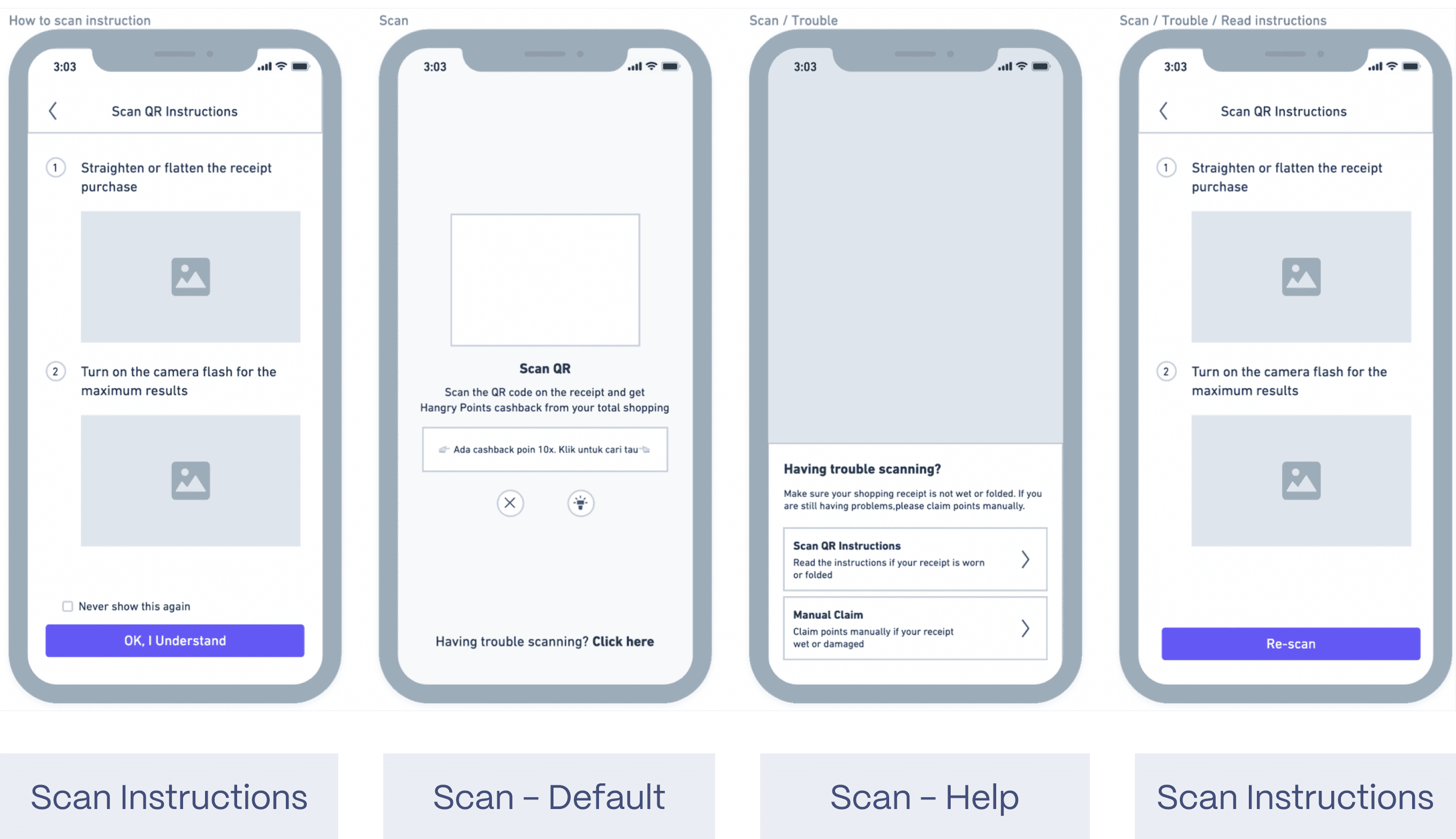
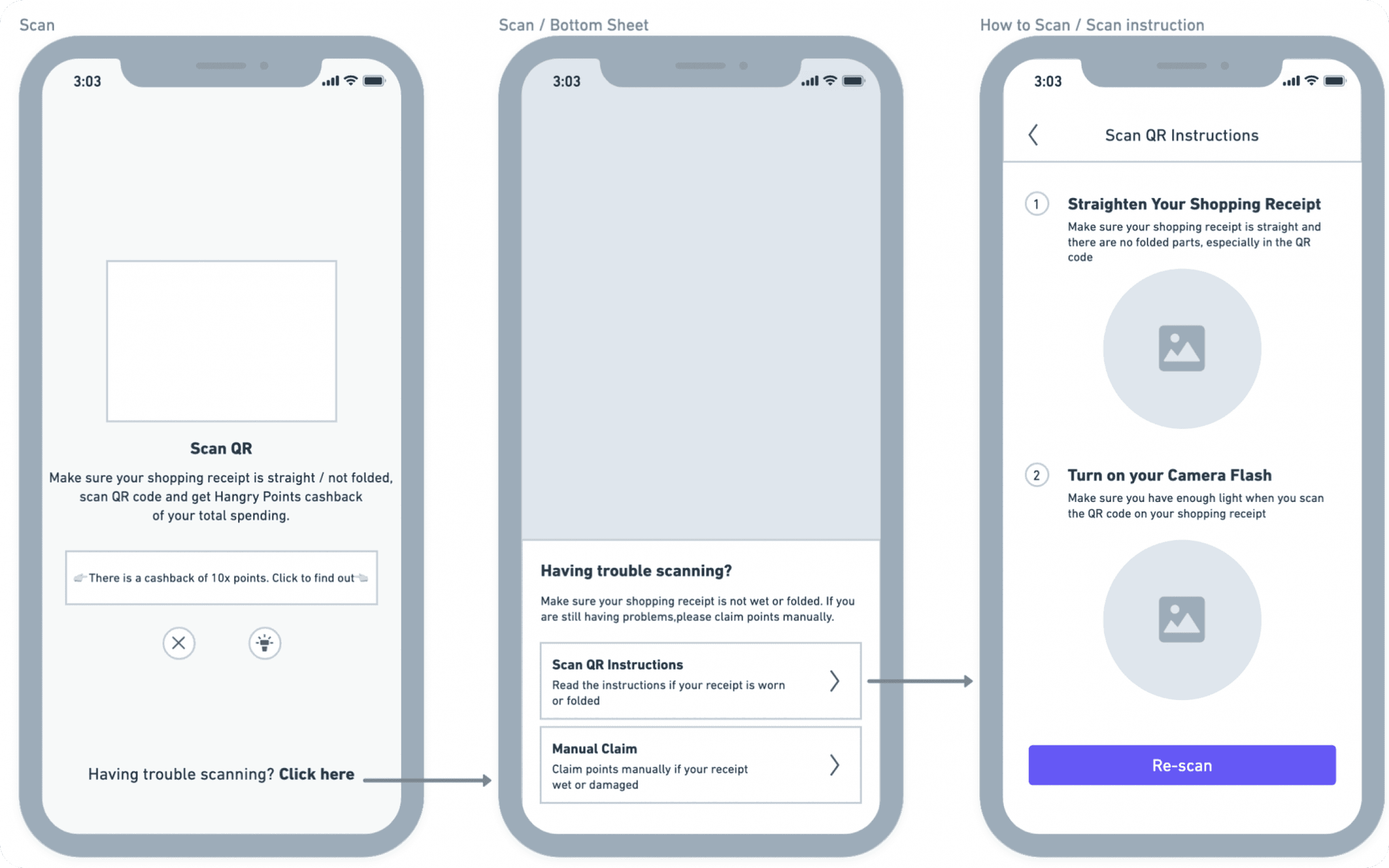
we will not force users to read instructions after clicking the 'Scan' button. Therefore, I have created a new wireframe. On the 'Scan QR Instructions' page, I will provide step-by-step instructions on how to properly scan the QR code. Additionally, I will include a call-to-action (CTA) for users to 're-scan' after reading all the instructions.
we will not force users to read instructions after clicking the 'Scan' button. Therefore, I have created a new wireframe. On the 'Scan QR Instructions' page, I will provide step-by-step instructions on how to properly scan the QR code. Additionally, I will include a call-to-action (CTA) for users to 're-scan' after reading all the instructions.
The output
The output
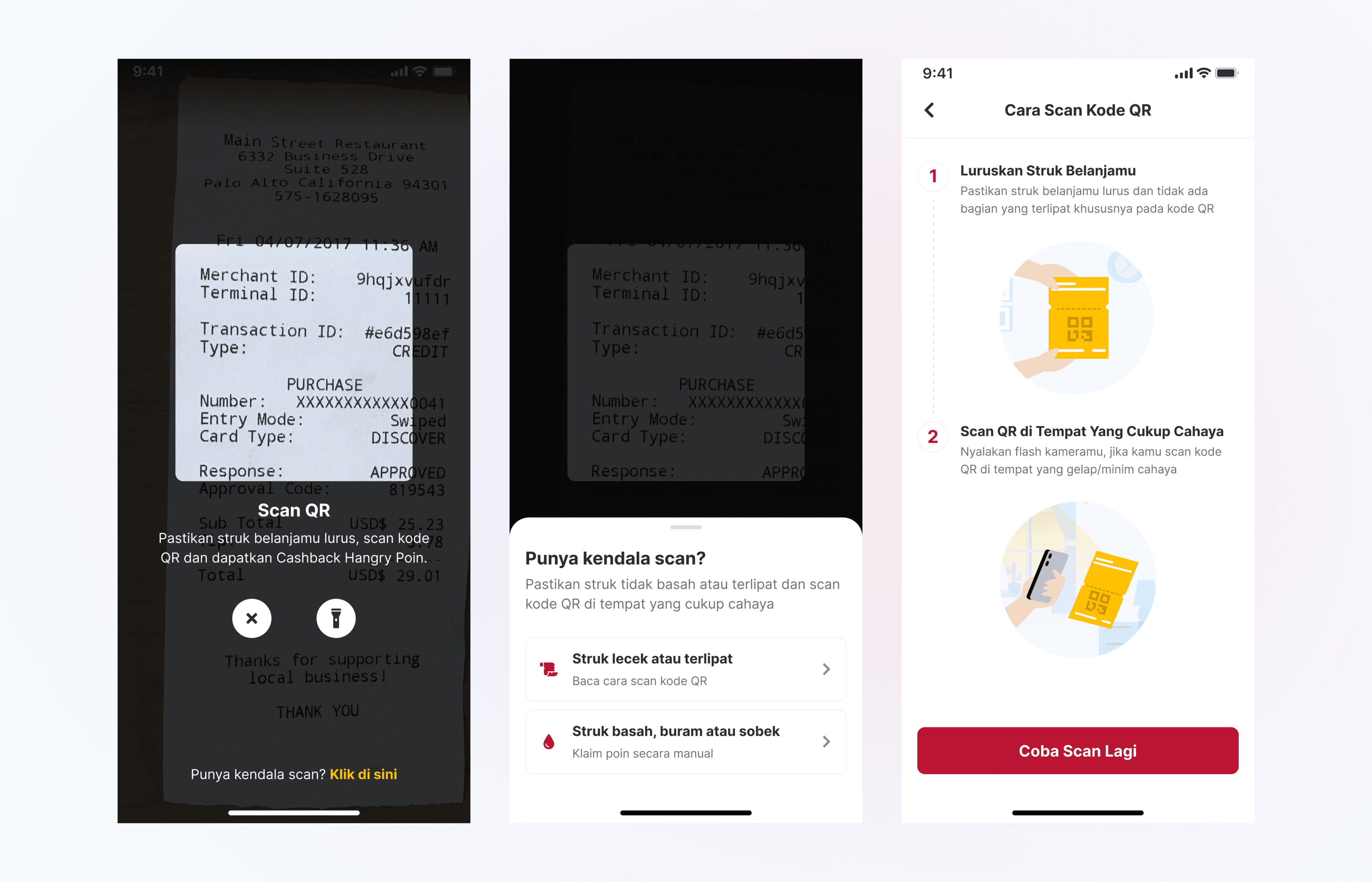
Some minor changes have been made to the final UI. The copywriting on the bottom sheet has been modified to provide more context, such as whether users need help because their receipt is folded or their receipt is wet or damaged.
Some minor changes have been made to the final UI. The copywriting on the bottom sheet has been modified to provide more context, such as whether users need help because their receipt is folded or their receipt is wet or damaged.
The outcome
The outcome
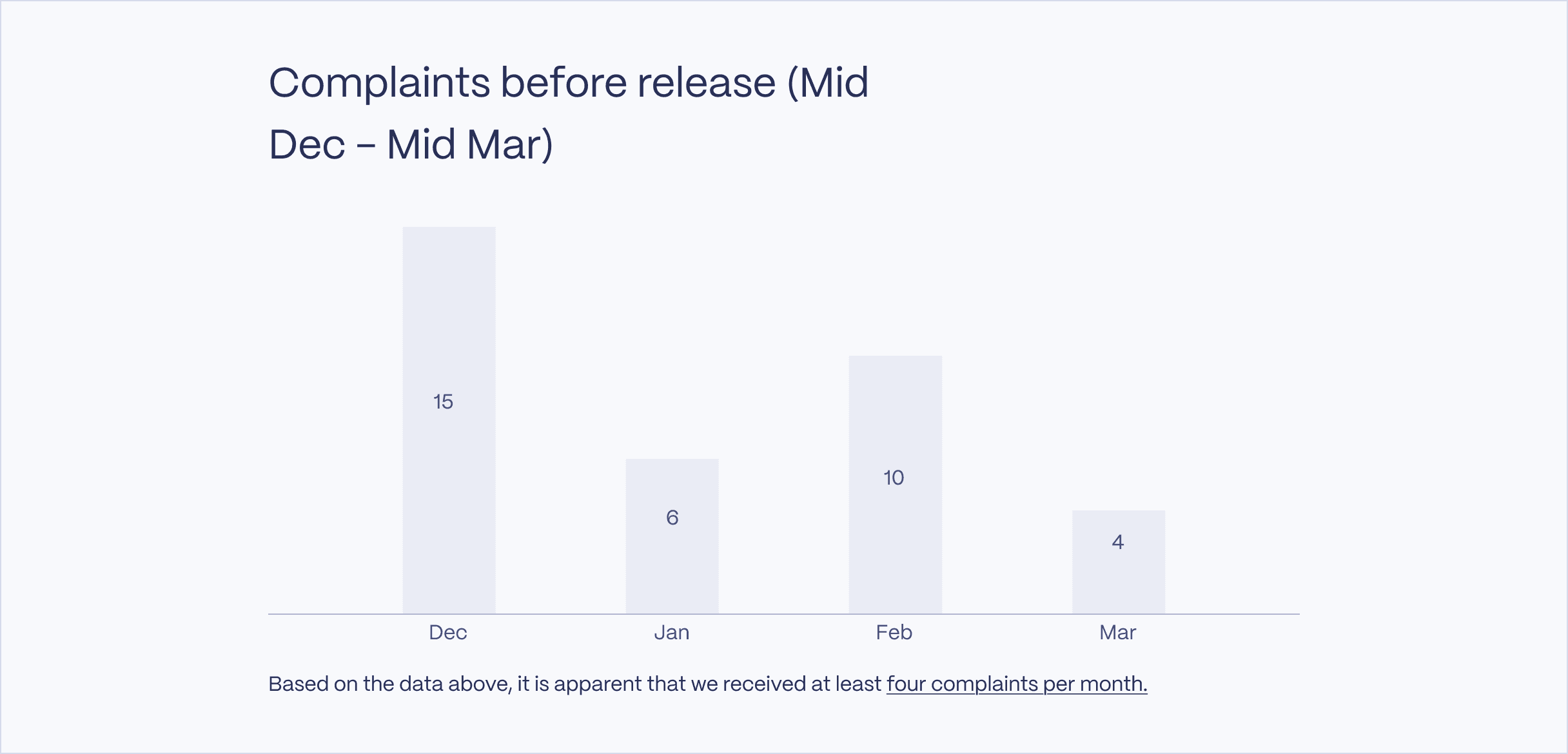
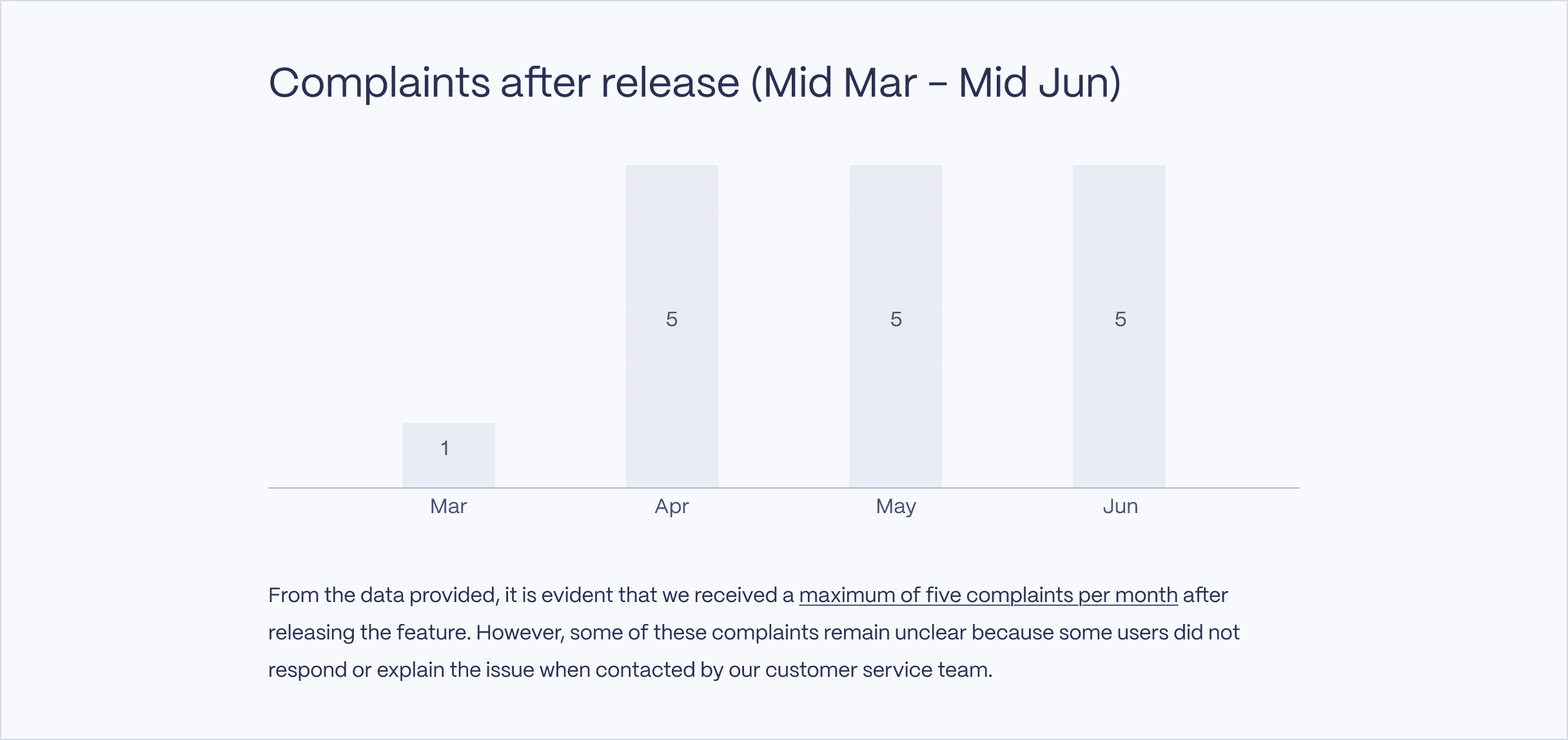
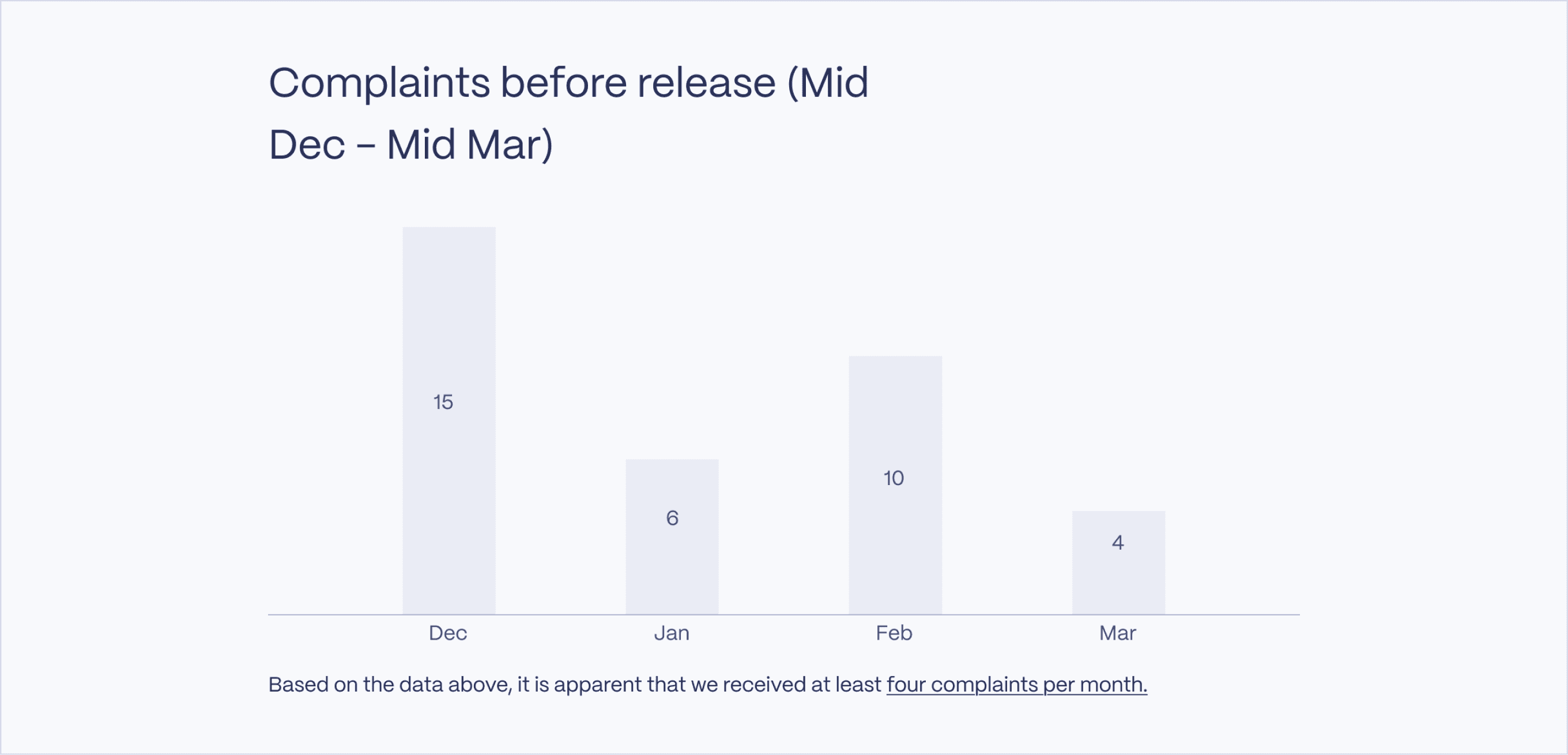
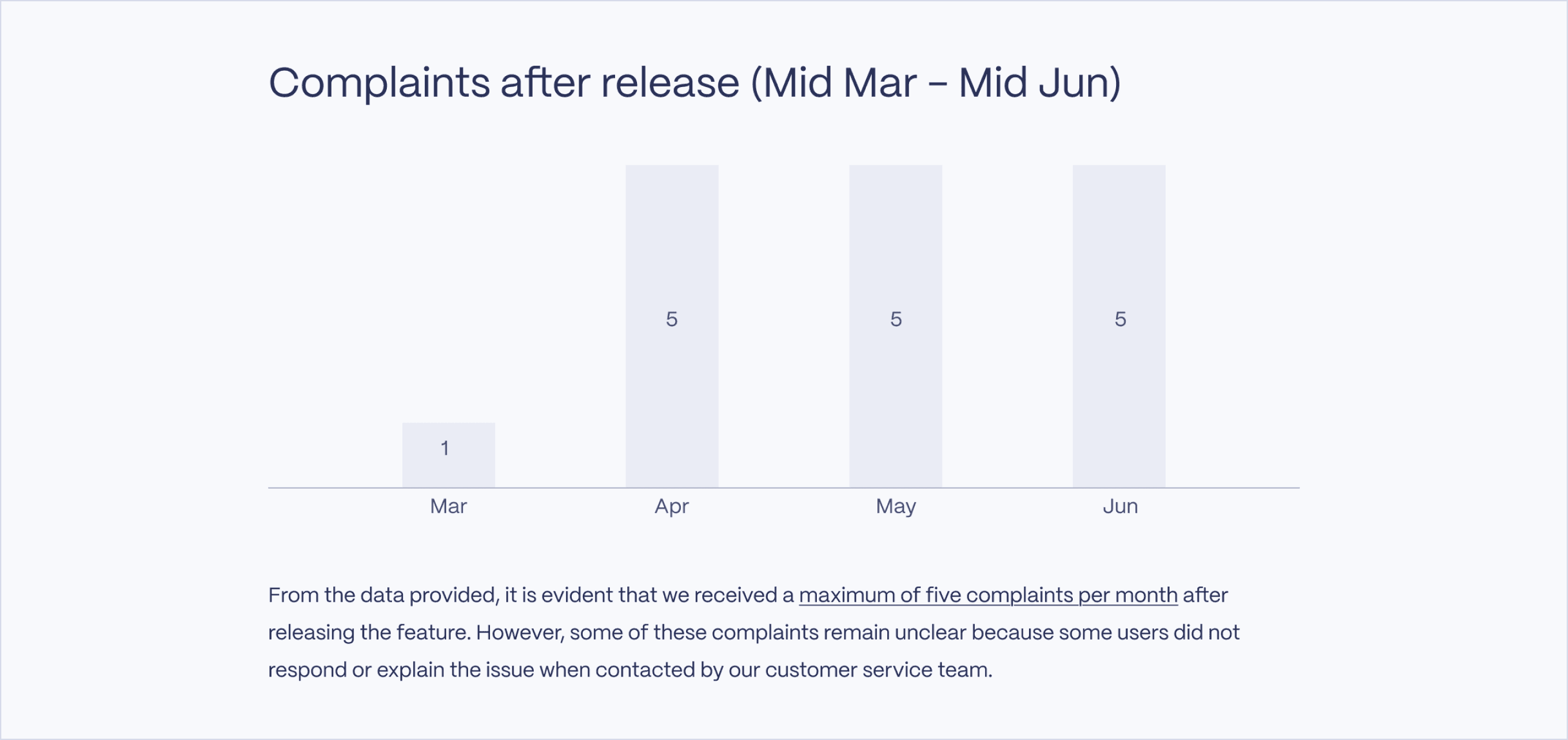
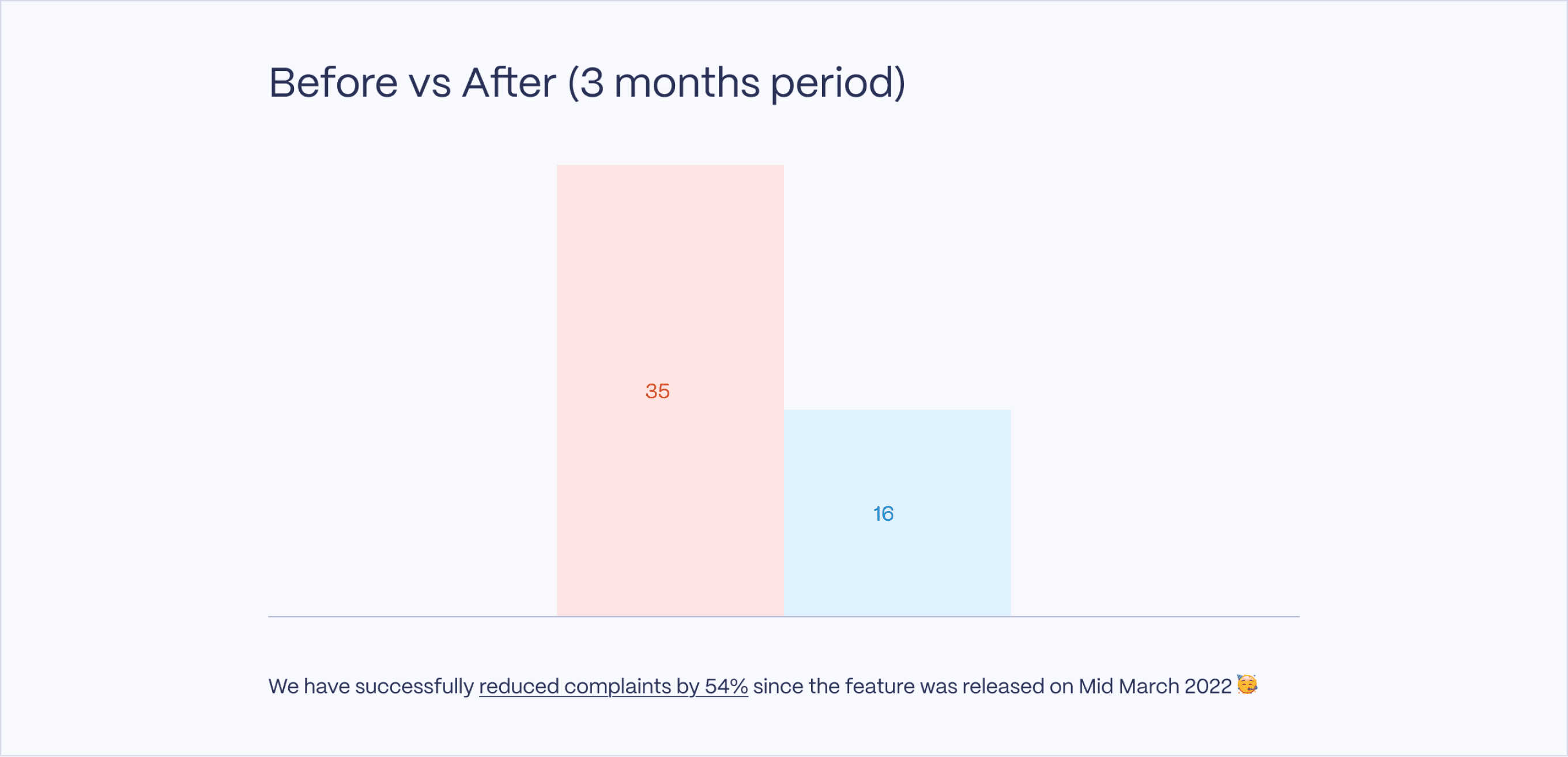
I collected data three months before and after the feature was released. Here are the results.
I collected data three months before and after the feature was released. Here are the results.
Key takeaways
Key takeaways
Take everything with a grain of salt.
Guidance would be very helpful for users.
Take everything with a grain of salt.
Guidance would be very helpful for users.
2024 Wahyu Wiryana Portfolio • All Rights Reserved